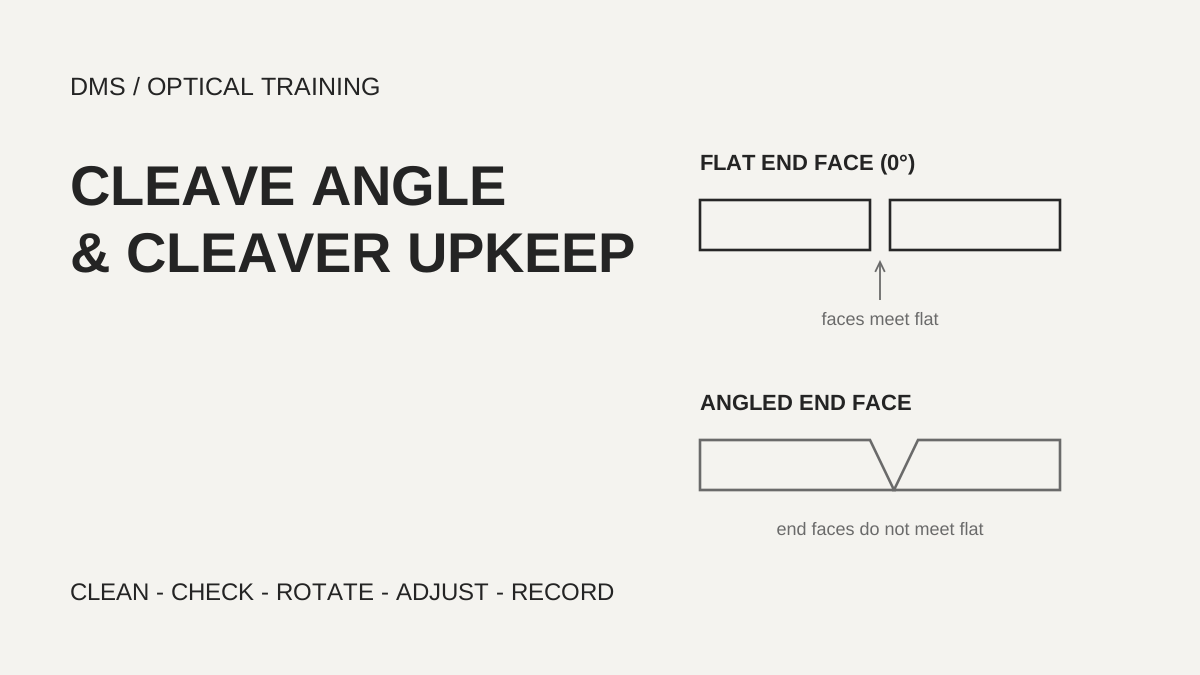
Documents give different limits for cleave angle before fusion splicing, so first confirm the manufacturer's criteria for the splicer and cleaver in use and judge within them. ITU-T L.12 says end angles are typically less than 1 degree for single fibers, one fiber maker's note says less than 2 degrees gives acceptable field splice loss, and a cleaver manufacturer requires 0.5 degrees or less for its own equipment. When a large cleave angle warning keeps returning, clean the clamp pads, anvil and blade before blaming the number, and only then adjust blade position and blade height, in that order.
Based on the standard and manufacturer documents reviewed on October 25, 2026.
Learning objectives
-
Separate the cleave angle criteria of different documents together with the scope each one applies to.
-
When a large cleave angle warning appears, check in the order of cleaning, verification, blade position and blade height.
-
Do not conclude that a good cleave guarantees low splice loss; look at other causes and measurement conditions as well.
How many degrees of cleave angle is acceptable?
There is no single number; there is a range set by the equipment and the document you work to. ITU-T L.12 (May 2000) says that for fusion splices the end angle should typically be less than 1 degree from perpendicular for single fibers and less than 3 to 4 degrees for ribbons, depending on fiber type, to achieve a satisfactory splice. The same clause requires a mirror-like cut surface without chips or hackle. The angle and the end-face shape are meant to be read together, not one without the other.
Other documents state wider or narrower values. The STL application note on splice loss says an end angle of less than two degrees generally gives acceptable field splice loss, and that the typical end angle of a well-maintained cleaver is around one-half degree. Greenlee's 910CL cleaver manual says each cleave must be less than 0.5 degrees so that the splice loss from the following splicing step meets specification, and its specification table lists a cleaved angle of 0.5 degrees or less. The first two are general explanations, while the Greenlee value is a requirement for that company's cleaver paired with its fusion splicer.
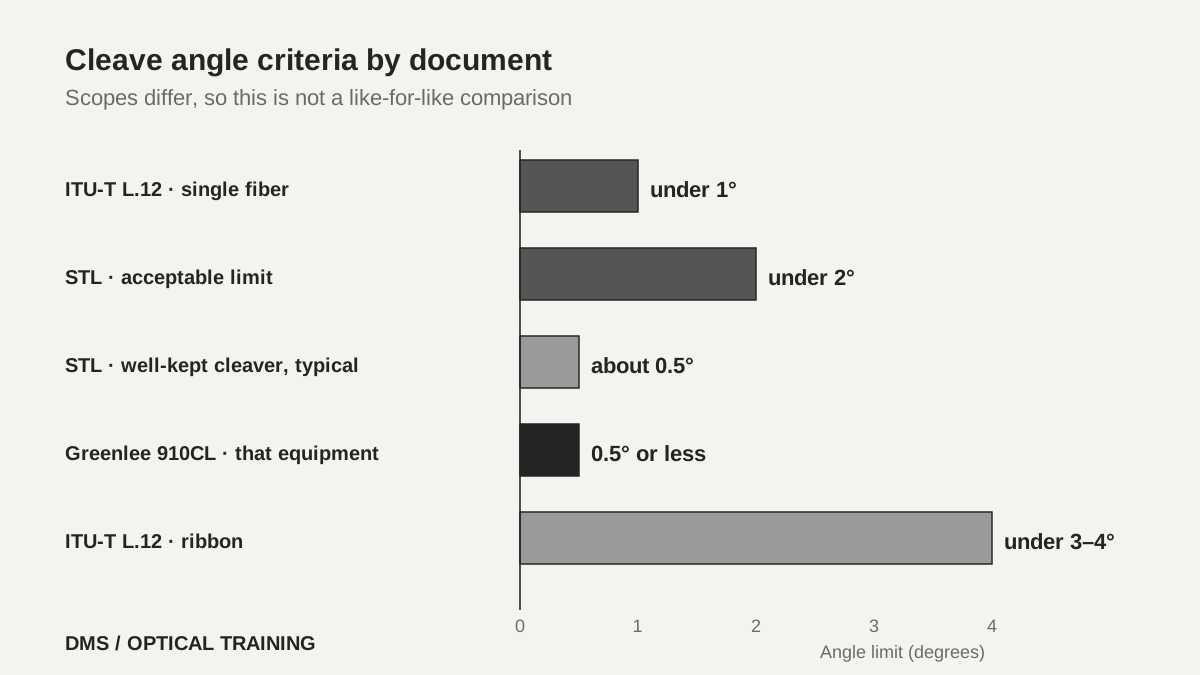 Cleave angle criteria differ by document and by scopeView original
So in the field you neither follow the tightest value blindly nor pick the widest one. The cleave angle shown by the splicer and its warning threshold follow the splicer maker's settings, and a project specification or delivery standard, where one exists, takes priority. The numbers in this lesson are examples for comparing how criteria are written, not limits to apply unchanged to any equipment.
Scroll horizontally to view a wide table.
| Document | Range stated | Applies to |
|---|---|---|
| ITU-T L.12 (2000-05) | Single fiber under 1 degree, ribbon under 3–4 degrees | Fusion splices in general |
| STL splice loss application note | Under 2 degrees acceptable, well-kept cleaver about 0.5 degrees | General description of field fusion splicing |
| Greenlee 910CL manual (2014) | Under 0.5 degrees | That cleaver with the 910FS splicer |
-
Criteria differ by document and by what they apply to
-
The splicer maker's setting and the project specification come first
-
Read the angle together with the end-face shape
What do you do first when a large cleave angle warning appears?
Clean the cleaver first. Fujikura recommends cleaning the clamp pad, anvil and cleaver blade of the CT50 cleaver before every use. It also says to clean when a large cleave angle error or a bad cleave angle error appears, or when the fiber cannot be cleaved. Dust can keep the fiber from being clamped properly and can cause a bad cleave, according to the same page.
The cleaning method is specific. Lift the lever fully, wipe the upper and lower clamp pads with an alcohol-moistened cotton swab, and wipe the anvil the same way. The blade is cleaned from the side with the lever closed, and the blade edge is not touched. ITU-T L.12 makes a similar point: the cleaving tool must be clean and properly adjusted, and dirty clamping pads can cause flaws that make the fiber break at the wrong location or reduce the strength of the finished splice. Greenlee likewise says to keep the rubber presser feet and the fiber guide groove free of dust and fiber debris, wiping with isopropyl alcohol and a lint-free wand.
After cleaning you do not go straight back to production splicing. Fujikura says to check some cleave results with the splicer and make sure there is no large cleave angle, chipped fiber edge or lip. If the result is still bad, the next step is to rotate the blade position or change the blade height. Cleaning is the first step, and rotating the position and adjusting the height come after it.
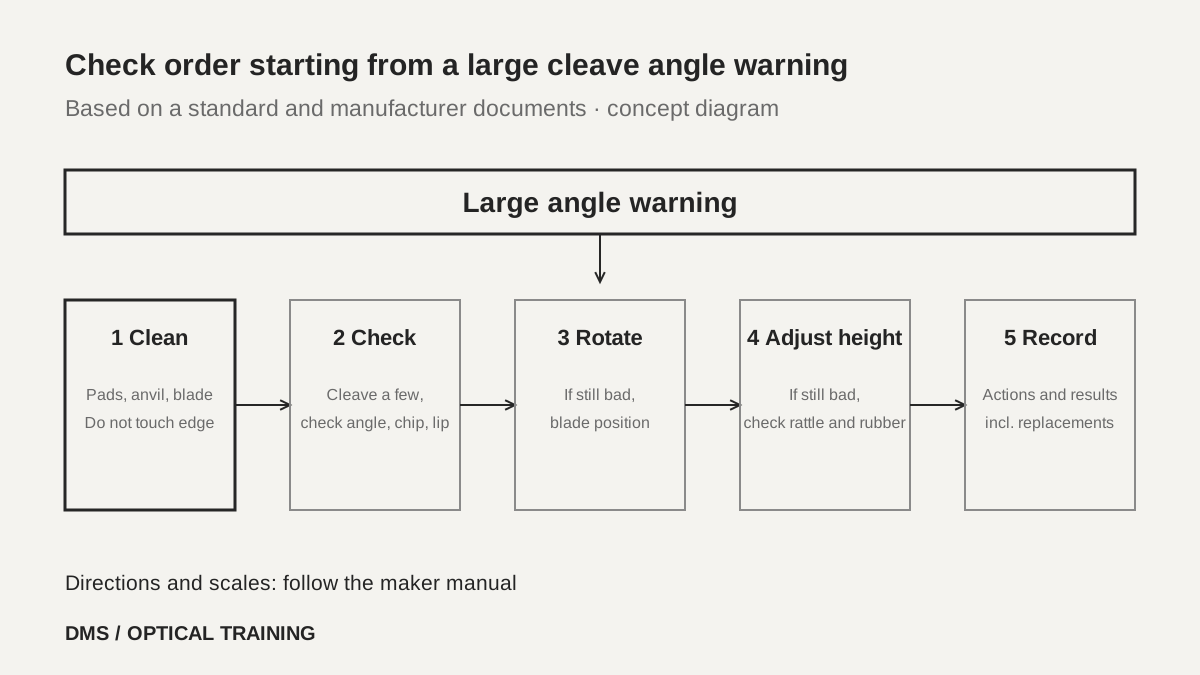 Check order starting from a large cleave angle warningView original
-
Wipe the pads, anvil and blade before use
-
Clean the blade from the side without touching its edge
-
Cleave a few fibers after cleaning and check the results
How is the end-face shape read?
The angle alone rarely tells you the cause, and the end-face shape is the clue. The troubleshooting table in the Greenlee 910CL manual pairs each symptom with causes and actions. If the fiber does not cleave, the acrylic coating may not have been removed or the fiber surface may not be clean, and the manual says to clean the rubber presser feet and increase the cleaving wheel height. If the end face has a lip, increase the wheel height, clean the rubber feet and check them for wear or abrasion.
If the end face shows a shadow or an incline angle, the manual says to increase the wheel height, and if the core is missing it says to lower the wheel height. Note that the same height adjustment goes in opposite directions depending on the symptom. The table describes the 910CL cleaver only. Other models may use different directions and scales for raising and lowering the height, so do not carry the directions over to another cleaver; check the manual for that equipment.
Scroll horizontally to view a wide table.
| Symptom | Cause and action in the Greenlee 910CL manual |
|---|---|
| Fiber does not cleave | Coating not removed, dirty surface, clean presser feet, raise wheel height |
| Lip on the end face | Raise wheel height, clean rubber feet, check rubber wear |
| Shadow or incline angle | Raise wheel height |
| Core missing | Lower wheel height |
-
Each symptom has its own cause and action
-
Height adjustment goes in opposite directions by symptom
-
The table describes one model and is not moved to other cleavers
When do you change blade position and blade height?
Change the position when wear is suspected, and the height when cleaning and rotation do not help. The Greenlee manual says to change the cleaving wheel position if cleaving quality degrades, usually after about 1,000 cleaves per position. After all 16 positions have been used, the height can be raised and the 16 positions used again, for a total of 48,000 cleaves over two passes. These counts are that product's specification and may vary with conditions and fiber, so they are not used as the replacement interval for another cleaver.
Fujikura lists four occasions for blade height adjustment: after replacing the cleaver blade, after replacing the clamp arm, when the cleave angle is still bad even after cleaning the clamp rubber, anvil and blade, and when it is still bad even after rotating the blade. A blade that is too high or too low causes poor cleaving quality, the page explains. Before adjusting, check that the blade and clamp arm are installed without rattling, that there is no dust on the rubbers, and that the clamp arm rubbers have no scratches or chips; if they do, replace the clamp arm.
The adjustment itself is a nine-step procedure that moves the indicator one scale mark at a time until the cleaver cannot cleave the fiber three times in a row, then raises the height again. The exact scale counts and directions belong to the CT50, so this lesson does not copy the procedure and only separates the order. The closing step, trying a real cleave after adjustment, applies to every piece of equipment.
-
Position for suspected wear, height when cleaning and rotation fail
-
Re-set the height after replacing a blade or clamp arm
-
Always cleave a test fiber after adjusting
Does a good cleave mean low splice loss?
A good cleave is closer to a necessary condition for low loss than a guarantee. ITU-T L.12 states that cleave quality, arc intensity and duration, and the differences between the two fibers together determine the splice loss. The STL application note adds mode field diameter (MFD, the diameter over which the light spreads) mismatch, core offset, contamination and deformation from poorly set heating as further contributors. It also states that the splice loss between two identical fibers with the same MFD and geometry can be as high as 0.04 dB because of misalignment and other process parameters.
In the other direction, a large loss value is not automatically blamed on the cleave. STL explains that when fibers with different MFD are joined and measured with an OTDR, an apparent gain or an exaggerated loss can appear at the splice, so splice loss should be evaluated from the bidirectional average. This connects to the earlier lesson on reading estimated splice loss against OTDR values. The cleave angle is the first candidate you can act on, but a good cleave alone does not make a splice acceptable.
-
Loss is set jointly by cleave, arc, fiber difference and alignment
-
Do not blame a large loss on the cleave alone
-
Evaluate OTDR values as a bidirectional average
In a hypothetical case, in what order do you check?
The situation below is an assumed training case, not a real site or measurement. At the first job of the morning the splicer shows a large cleave angle warning three times in a row, and the cleaver was put away yesterday without being wiped. The operator may be tempted to loosen the warning threshold. The material reviewed here contains nothing that supports raising the threshold to get past the warning, and the manufacturer says to start by cleaning.
So the order is this. First wipe the clamp pads, anvil and blade with an alcohol swab, without touching the blade edge. Next cleave a few fibers in the splicer and see whether the large angle, chips and lip are gone. If nothing improves, rotate the blade position and check again, and if it is still bad, check the rubbers for scratches and the blade for rattling, then adjust the height following the manufacturer's procedure. Finally record what was done and what happened.
-
Cleaning comes first and loosening the threshold has no support
-
Cleave a few fibers after cleaning and check
-
Move on to rotation, rubber check and height in that order
What is recorded when the work is closed?
At closing, leave the action and the result together. Write down which warning appeared and how many times, whether cleaning alone solved it, whether the blade position was rotated, whether the height was adjusted, and how the test cleaves looked afterwards. The next technician should be able to continue the judgement instead of repeating the same sequence. If a blade or clamp arm was replaced, note that as well so the moment for re-adjusting the height is not missed.
Also record what could not be confirmed. Whether the angle shown by the splicer and the angle in a cleaver specification were measured the same way could not be confirmed from the material reviewed. So the two values are not compared on one basis, and each is labeled with the equipment and display it came from.
-
Record the warnings, actions and results
-
Note any blade or arm replacement
-
Label each angle with the equipment it came from
Checklist
-
Did you confirm the maker criteria and project specification for your splicer and cleaver?
-
Did you wipe the pads, anvil and blade before use without touching the blade edge?
-
After cleaning, did you cleave a few fibers and check for large angles, chips and lips?
-
If cleaning did not help, did you check blade position and then height, in that order?
-
Did you record the actions and results and keep other loss causes open?
Review questions and answers
1. Why do cleave angle criteria differ between documents?
Answer: The scope and the required level differ. ITU-T L.12 covers fusion splices in general, STL gives a general description of field splicing, and Greenlee states a requirement for its own cleaver and splicer pair. So check the maker criteria for your equipment and the project specification first.
2. What is the first thing to do when a large cleave angle warning appears?
Answer: Clean the clamp pads, anvil and blade with an alcohol swab, cleaning the blade from the side without touching its edge. Cleave a few fibers to check, and if the result is still bad, check blade position and then blade height in order.
3. Why can you not conclude that low splice loss follows from a good cleave angle?
Answer: Splice loss also depends on arc conditions, differences between the two fibers, alignment and contamination. OTDR values can also look different from the real loss because of MFD differences, so they should be evaluated as a bidirectional average.
Sources and versions
-
STL: Optical Fibre Splice Loss (application note) · no date printed on the document
-
Greenlee: 910CL Optical Fiber Cleaver Instruction Manual · marked March 2014
-
Fujikura: How to clean the clamp pad, anvil, and cleaver blade of CT50 · no date shown on the page
-
Fujikura: How to adjust the blade height of CT50 · no date shown on the page