An OTDR ghost is a repeated reflection displayed as if it were another physical event. Little apparent loss or regularly repeated peaks can raise suspicion, but neither justifies deleting an event. Compare the raw trace, physical layout and ghost-analysis settings, then investigate the strong reflection that may be producing the artifact.
Based on manufacturer references checked on October 19, 2026.
Learning objectives
-
Separate a suspected ghost from a confirmed physical event.
-
Distinguish hidden labels from disabled ghost analysis.
-
Retain evidence before and after source investigation.
Does 0 dB loss prove a ghost?
 Does 0 dB loss prove a ghost?View original
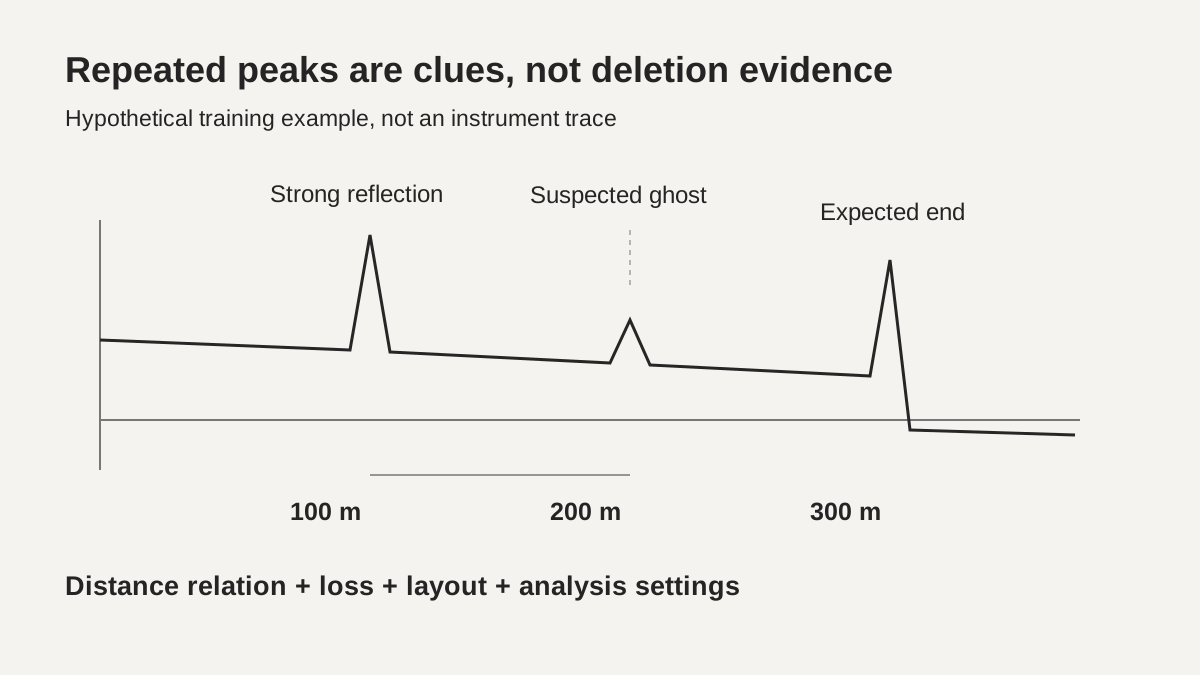
Not by itself. Fluke Networks describes ghost events produced by repeated reflections and illustrates a ghost with 0 dB loss. Its separate event-type reference identifies distance multiples and almost no loss as useful clues. These characteristics help locate an event for investigation; they are not a rule for deleting every small reflective event from a trace.
An OTDR trace contains both reflected light from interfaces and backscatter distributed along the fiber. Light can make additional round trips between strongly reflecting interfaces. Its later arrival can then appear as an event at a greater distance. Even if no physical connection exists at that displayed position, the reflection source may still be present earlier in the link or in the test connection.
This lesson reviews saved traces from inactive fibers authorized for testing. It does not authorize injecting test light into an operating network or disconnecting a connector. Do not inspect an end face without verifying source conditions and instrument ratings. Actual maintenance requires the approved safety procedure for the installation and the relevant equipment manual.
-
Repeated spacing and little loss are clues
-
Compare raw data with the physical layout
-
Suspicion is not permission to delete an event
Limits of the event table
The official Fluke DTX Compact OTDR event reference states that a ghost source precedes its ghost. It also warns that only the first of multiple ghosts may be identified and that a hidden source event may prevent a ghost from being recognized. One automatic label therefore does not prove that there is only one source or only one repeated reflection.
The same reference states that ghosts after the end event are not shown in that module's event table. This is a DTX-specific description, not a universal rule for all OTDRs. Do not interpret an unlisted peak after the end as an extension of the cable, or omit the rest of a raw trace merely because the table has stopped listing events.
A blank loss field is different from a measured value of 0 dB. An event hidden in the attenuation dead zone of an earlier reflection may lack sufficient information for separate loss measurement. Replacing the blank with zero turns an unresolved measurement into an apparently good connection. Preserve the original status and state why independent measurement remains unavailable.
-
Automatic recognition can miss events
-
DTX behavior after the end is product-specific
-
Separate unavailable loss from measured zero
NO versus NO ANALYSIS
 NO versus NO ANALYSISView original
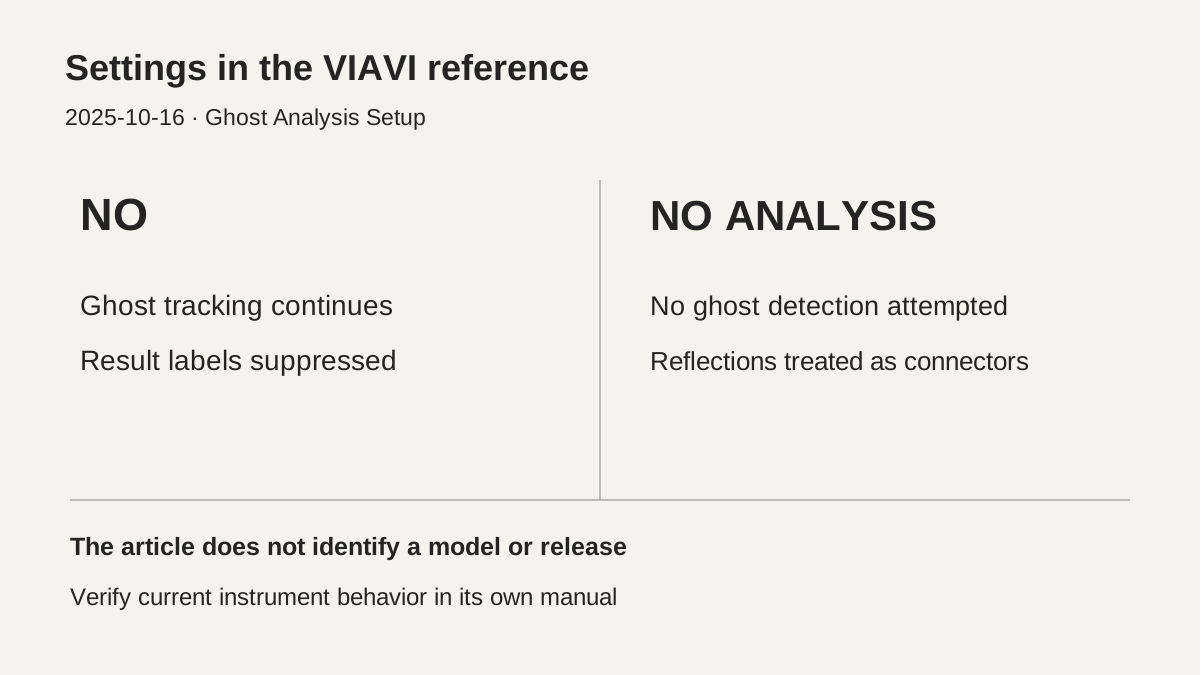
VIAVI's knowledge-base article dated October 16, 2025 distinguishes NO from NO ANALYSIS in ghost settings. With NO, detected ghosts are not marked or reported in the results table, but software still tracks ghosts during event detection. With NO ANALYSIS, software makes no attempt to detect ghosts and treats reflections as connectors, according to that article.
The article does not identify a particular instrument model or software release. It therefore does not establish that the same labels and behavior exist on the instrument currently in use. When the reported event count changes, consult that model's manual and the actual saved settings first. A change in display or analysis is different from a physical repair to the link.
An absent ghost icon does not prove an absence of ghosts. Consider whether labels were suppressed, analysis was disabled or recognition failed. Preserve the available analysis settings with the raw file. If a saved file was reanalyzed, distinguish that operation from a new acquisition. A cleaner-looking screen is not evidence that the reflection source has been repaired.
-
NO: tracking continues without result labels
-
NO ANALYSIS: no ghost-detection attempt
-
Verify the actual model and software separately
A hypothetical 100 m and 200 m trace
Assume a fictional training trace has a strong reflection at 100 m and a smaller peak at 200 m, with an expected fiber end at 300 m. Assume no clear backscatter drop around the 200 m peak. These distances and trace characteristics are invented for interpretation practice. They are not a product measurement, field test or common acceptance limit.
The 200 m position being twice 100 m, together with little loss, provides a reason to suspect a ghost. A physical connection could nevertheless exist near 200 m on the drawing. Align the reference plane, launch-fiber inclusion and optical distances before matching actual events. A distance multiple alone does not justify reducing the connector count or deleting the work record at that location.
Record the 200 m peak as a suspected ghost and identify the strong reflection near 100 m and the physical connection layout for investigation. After authorized checks, acquire another record from the same fiber and direction for comparison. If a peak decreases, retain the connection and setting changes as well. One disappearing peak does not establish that the entire link meets loss and reflection limits.
-
Hypothetical: 100 m / 200 m / end at 300 m
-
A distance multiple does not erase a connection
-
Compare conditions before and after investigation
Investigating the reflection source
First preserve the raw file and automatic event table, then confirm cable, fiber, direction and expected end position. Look for strong reflections and extended tails before the suspected event. Fluke lists contamination, incomplete seating, high reflectance and incorrect polish combinations among possible causes. A trace alone cannot determine which defect is actually present.
Under an authorized inactive-fiber condition, qualified personnel should check seating and end-face condition, clean when needed using the manufacturer's procedure, and inspect again. Apply the component's maintenance criteria if a defect remains. This lesson does not instruct users to mate incompatible polish types or automatically repolish connectors in the field. Identify test connections separately from installed link connections.
Retain wavelength, pulse width, range, acquisition time and analysis conditions during remeasurement. If conditions change, record why, so a physical intervention can be distinguished from a different analysis. Hold judgement when the physical event or usable loss-fitting sections remain unclear. Hiding a suspicious event is not the same operation as correcting the reflection source.
-
Preserve raw data and match physical events
-
Authorized source checks precede comparison
-
Separate display changes from physical improvement
Handover and verification limits
Record instrument model and software release, direction, wavelength, pulse width, range, launch and receive fiber configuration, and ghost-analysis settings. Keep the raw trace with the table and distinguish automatic classification from the reviewer's suspected-ghost label. Preserve before-and-after files so a later reviewer can explain changes in event count rather than relying on the final screenshot alone.
The two reviewed Fluke web references are dated March 3 and March 26, 2014. The VIAVI article displays October 16, 2025. This lesson uses their descriptions to explain principles and reporting limits. It does not combine features from different products into one instrument behavior. No source illustration or actual instrument screenshot has been reproduced.
No instrument reproduction, current software behavior, current standard text or customer-specific acceptance limit was verified for this lesson. The DMS review sequence supports evidence-based classification of uncertain events. Final acceptance still requires valid loss and reflection tests under the applicable specification. The presence or absence of a ghost icon cannot replace those tests.
-
Hand over raw files, tables and analysis settings
-
Keep manufacturer and release boundaries explicit
-
Acceptance requires separate valid evidence
Review checklist
-
Were repeated distances and loss clues checked against the layout?
-
Were hidden labels distinguished from disabled analysis?
-
Were hidden events and blank fields kept separate from 0 dB?
-
Were before-and-after files and changed conditions retained?
-
Were physical connections preserved despite ghost suspicion?
Review questions and answers
1. Can an event be deleted immediately because it repeats in distance and shows little loss?
Answer and explanation: No. These are suspicion clues. Compare physical layout, raw trace and analysis settings; hold judgement if unresolved.
2. Do NO and NO ANALYSIS mean the same thing in the VIAVI article?
Answer and explanation: No. NO suppresses labels while tracking continues; NO ANALYSIS makes no attempt to detect ghosts. Verify the actual model and release separately.
3. Does a peak disappearing after a display-setting change prove repair?
Answer and explanation: No. Separate display changes from physical improvement. Investigate the source and obtain valid remeasurement and acceptance evidence.
Sources and versions
-
Fluke Networks: Event types and its possible causes – DTX Compact OTDR Module · 2014-03-03
-
Fluke Networks: Ghosts – Optifiber · 2014-03-26
-
VIAVI: Ghost Analysis Setup · 2025-10-16