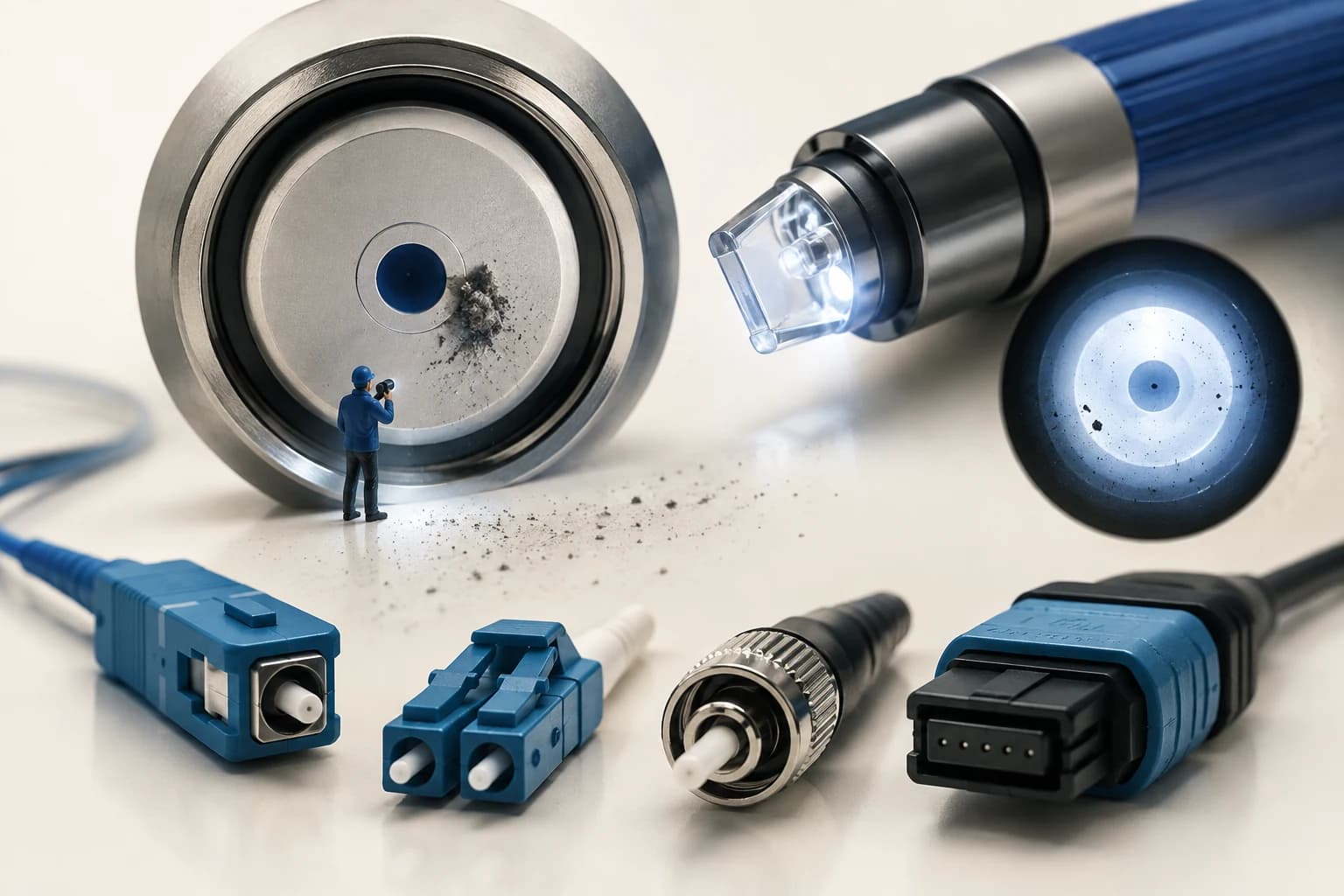
One Particle Is Enough
A single-mode core is about 9 micrometres across. A typical dust particle is 5 to 10 micrometres. One particle in the wrong place covers the core.
That is the whole reason connector contamination dominates field fault statistics. It is not that engineers are careless. It is that the tolerance is brutal and the damage is invisible without a scope.
The Connectors You Will Meet
표가 넓으면 좌우로 스크롤하여 확인하세요.
| Type | Where you see it | Notes |
|---|---|---|
| SC | Access networks, OLT/ONU ports | Push-pull, latching, very common in FTTx |
| LC | High-density panels, transceivers | Small form factor, two fit where one SC did |
| FC | Test equipment, older plant | Screw coupling, stable for measurement |
| MPO/MTP | Data centre trunks | Multi-fiber in one ferrule |
In access work SC and LC cover almost everything, with FC turning up on OTDR and power meter ports.
Polish Grade Matters More Than People Expect
The end face is polished, and the polish geometry controls how much light reflects back.
- PC (Physical Contact) — around -35 dB return loss
- UPC (Ultra Physical Contact) — around -50 dB, blue housing by convention
- APC (Angled Physical Contact) — around -60 dB, ferrule polished at 8 degrees, green housing
The angle on an APC connector sends reflected light out into the cladding instead of straight back down the core.
PON networks generally specify APC, because reflections in a shared tree degrade everyone on it, and because video overlay services are particularly sensitive to reflection.
Two rules that follow, and they are not optional:
Never mate APC to UPC. The 8 degree face against a flat face makes physical contact impossible. You get a large air gap, terrible loss, and a strong reflection. It also risks damaging the angled ferrule.
Colour is your first check. Green means angled. Blue means flat. If a green connector is going into a blue adapter, stop.
Inspect, Clean, Inspect
This is the discipline that separates crews with stable networks from crews who keep getting called back.
Inspect first. A fiber inspection scope, ideally a video probe, shows the end face. You are looking for particles, oils, scratches and pits in and around the core.
Clean second. Cassette cleaners for connectors, click-style pens for connectors inside adapters and bulkheads. Wet-then-dry with the right solvent is more effective than dry alone for oils.
Inspect again. This is the step people drop. Cleaning can redistribute contamination rather than remove it, and can leave solvent residue. If you did not look after cleaning, you do not know that it is clean.
What You Are Looking At
Not all marks matter equally. Zones matter.
- Core zone — anything here matters. Any particle, any scratch.
- Cladding zone — small defects tolerable, but they migrate.
- Adhesive and contact zones — mostly cosmetic unless they prevent physical contact.
A scratch across the core is permanent. That connector needs re-termination or replacement; cleaning will not fix it. A particle on the core comes off. Knowing the difference saves you from cleaning something twenty times that was never going to improve.
Habits That Prevent the Call-out
Dust caps go back on immediately. Not at the end of the job. The moment a connector is unmated.
Empty adapter ports get capped too. An open port on a splitter or a panel is a dust funnel, and it will contaminate the connector you eventually plug into it.
Clean both sides. Cleaning your patch cord and plugging it into a dirty bulkhead just moves the problem into your patch cord.
Do not measure through a connector you have not inspected. Otherwise you are debugging your own test setup.
When a Link Degrades Slowly
Gradual degradation over months usually is not the fiber. It is a connector that started marginally contaminated and got worse through thermal cycling and repeated mating.
The diagnostic order stays the same as always: inspect and clean the connectors before you open anything. It is the cheapest step and it resolves the majority of cases.
Summary
- The core is 9 µm and dust is 5–10 µm. One particle is enough.
- APC (green, 8°) is standard for PON. Never mate APC to UPC.
- Inspect, clean, inspect. Skipping the second inspection means you do not actually know.
- Particles clean off; scratches across the core do not — that connector needs replacing.
- Caps on immediately, cap empty ports, clean both sides.