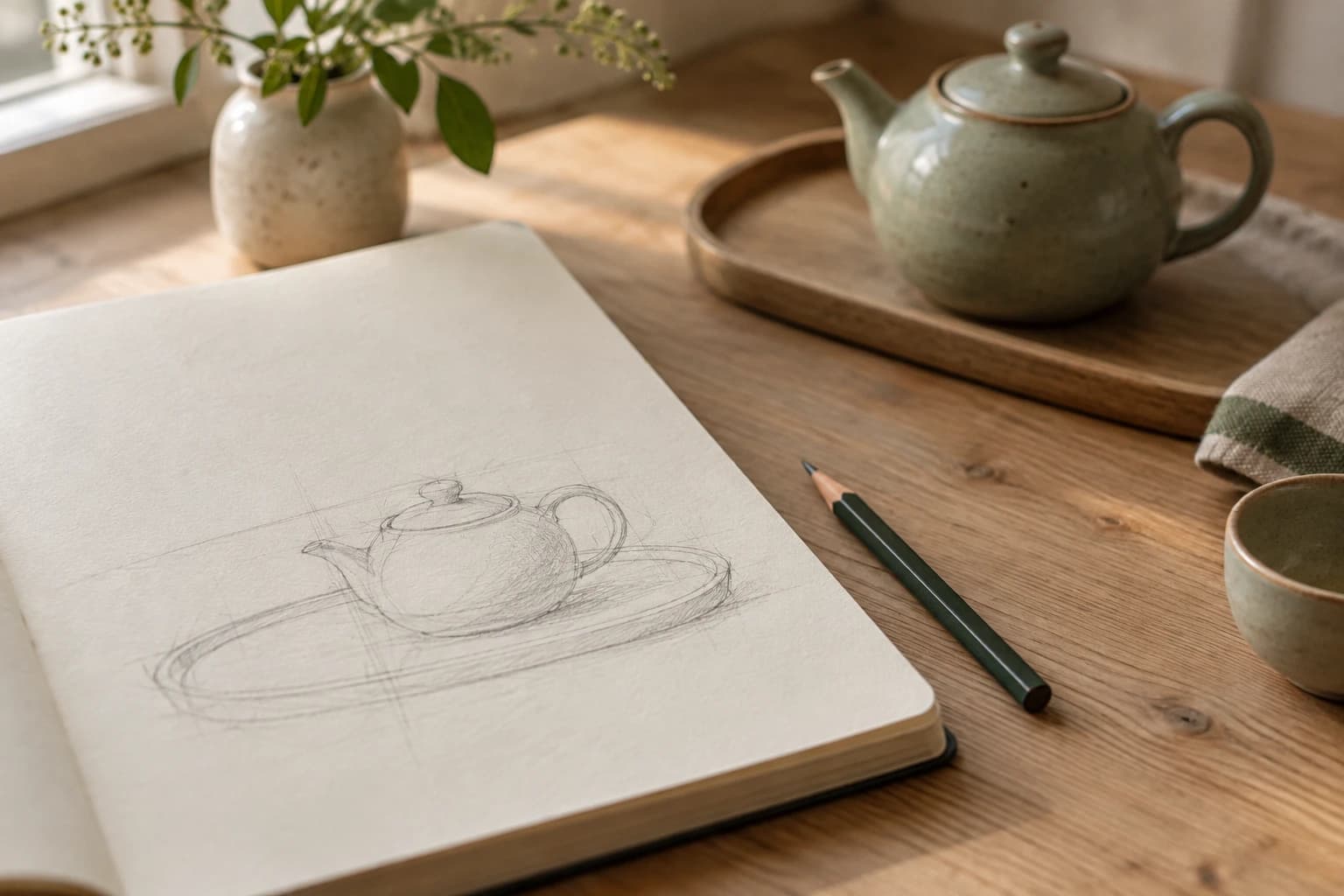
If an AI image keeps putting objects in the wrong places, let a sketch carry the layout and use words for materials and light. Draw the relationships that matter before describing every detail in prose. A sketch remains a guide, not a dimensioned drawing: inspect the generated positions and shapes rather than assuming that the model preserved them.
This article uses public material and OpenAI documentation checked on October 17, 2026. For the example, I generated a new sketch with the GPT image tool and actually supplied that file as the reference for a second generation. I did not operate the Sketch drawing interface inside the ChatGPT app. The input/output comparison below is a reference-image test, while the app instructions are a documentation-based guide.
What should the sketch contain?
The starting point was a public Instagram post by heyseno.ai. Its public explanation describes drawing a rough layout and adding a description of the desired style. I did not request its private guide, reuse its images, or republish its prompts. The teapot example and the requests in this article were developed separately.
Writing positions in prose can become surprisingly cumbersome. The teapot goes at the lower left, its spout points left, and a window sits at the upper right. Even after those sentences, the reader still has to infer their distance and relative size. A small drawing can express those relationships together. The remaining words can address information that outlines do not contain, such as ceramic glaze, wall texture, or the character of the daylight.
For this example, the drawing contains a teapot, an oval tray, and a small circle. The teapot and tray sit together toward the lower left; the circle sits toward the upper right. The circle has no inherent meaning. It could represent the sun, a plate, or a window. Rather than leaving that choice to the model, the written request identifies it as a round window.
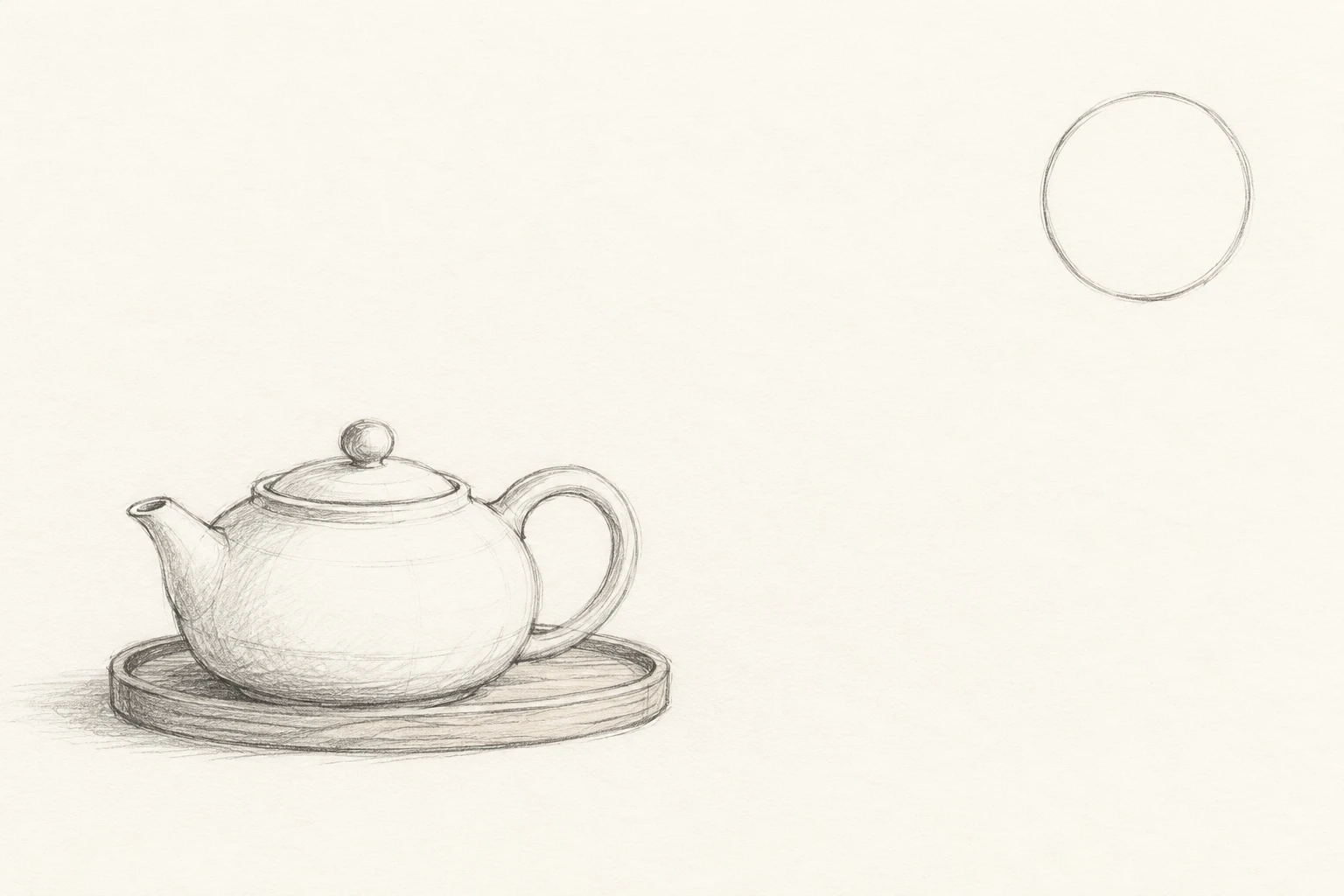 Original generated sketch with a teapot and tray at lower left and a circle at upper rightView original
This input is an AI-generated sketch, not a hand-drawn artifact presented as human work. It demonstrates a layout instruction. Someone drawing their own version does not need detailed shading: clearly separated shapes and an understandable orientation are a reasonable starting point. When using an existing photograph or company material, first check that you are permitted to upload it.
What belongs in the written request?
Separate the jobs of drawing and language. The drawing specifies approximate position, size, and orientation. The text identifies ambiguous marks, describes surfaces and light, and states what should not be added. Asking the model simply to copy everything can retain the graphite lines or paper texture when the intended result is a photograph. Here, the request explicitly preserves the layout while removing drawing lines.
Scroll horizontally to view a wide table.
| Requirement | Decision in this example |
|---|---|
| Position and orientation | Teapot and tray at lower left, spout facing left |
| Meaning of an ambiguous symbol | The upper-right circle is a round window |
| Surface and background | Sage ceramic, an oak tray, and a cream wall |
| Negative space | No added objects in the center or lower right |
| Review after generation | Check count, position, orientation, and material separately |
Empty space also deserves an instruction. Otherwise the model may fill it with a vase or a book. That request is not a guarantee. If the open area will later carry a headline, place the actual headline there and check readability rather than treating blank pixels as sufficient proof. No text was added to the generated pictures in this article.
What did the actual test preserve?
The next image is the actual output from supplying the sketch as the reference. The teapot and tray remain toward the lower left, the round window appears at the upper right, and the spout faces left. A broad open area remains on the right. Those main spatial relationships are visible in this particular result.
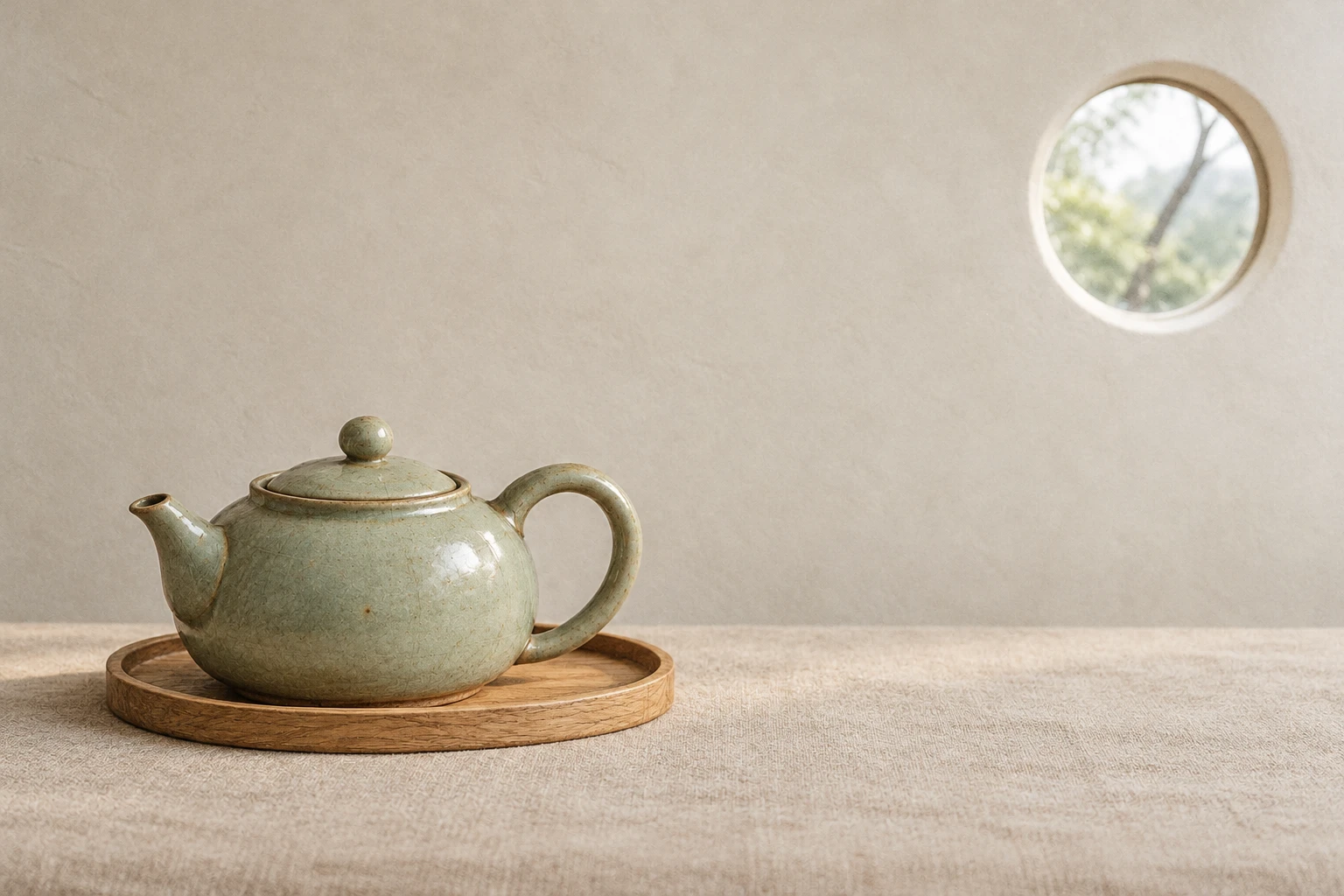 Actual reference transformation showing a sage teapot on an oak tray with a round window at upper rightView original
Not every requested property survived. The prompt asks for matte ceramic, yet the output has reflective highlights and a glazed surface. Passing the layout check would not justify passing the material check. The model also supplied details that were not drawn, including branches outside the window. The composition retained recognizable relationships, but the finished scene still contains model interpretation.
This is one reference-image transformation. I did not repeat it to measure a success rate, and I did not create a text-only control. It therefore does not establish that sketches are always more accurate or save a particular amount of time. The supported observation is narrower: these inputs produced one output with these spatial similarities and this material mismatch.
The following English prompt is the exact request used to generate the result, supplied together with the sketch file. It has not been rewritten to match the outcome.
Transform the attached rough composition sketch into a natural low-saturation 35mm color film product photograph, landscape 3:2. Keep the composition of the attached sketch: exactly one squat ceramic teapot and one oval wooden tray occupy the lower-left area; short spout points left and curved handle on the right. The small circular outline in the upper-right is a round window in a pale cream plaster wall, not a sun or a plate. Keep the center and the right lower half empty. Teapot: matte sage-green glazed ceramic, realistic handmade details. Tray: light oak. Surface: quiet beige linen. Soft overcast daylight through the round window, subtle realistic shadows, restrained fine film grain, no people, no text, no logos, no additional objects. Preserve the positions and relative scale of teapot, tray, and window. No magazine layout, no drawing lines.
The prompt is still fairly long because the test includes separate checks for surfaces and empty space. Using a sketch does not mean removing all written instructions. It means letting the image express spatial relationships while the words cover details that cannot be read from the drawing. Duplicating every contour in prose defeats that division of work.
How can you adapt the method?
Start by naming a few conditions that must be right. For this scene, those were one main object, placement at the lower left, and a window at the upper right. Draw those positions on paper or in a drawing tool, then use text to identify ambiguous marks. Beginning with a crowded scene makes it harder to decide which failure to repair first.
Here is a new reusable example. This template was not executed as written, and it is not the original creator's prompt.
Use the major spatial relationships in the attached sketch as the guide.
The lower-left shape represents [object], and the upper-right circle represents [background element].
Render the object in [material and color], with [direction and character of light].
Keep the center and lower-right area empty.
Do not add [unwanted objects], and remove sketch lines from the finished image.
Review positions and counts before deciding whether the result looks attractive. If the placement is wrong, check whether the drawing separates its shapes clearly instead of adding more adjectives about texture. If the layout is right but a surface is wrong, treat that surface as the next edit. For the teapot, reducing the reflective glaze would be a reasonable follow-up test. That extra edit was not performed for this article.
Related problems call for different instructions. Separating text and subject areas in a poster addresses overlap with typography. The multi-angle set-image prompt addresses changing the camera while retaining an existing space. This article does neither: it uses rough marks to communicate positions when creating the initial scene.
Keep the input sketch, output, and exact request together, with distinct filenames for revisions. If you change both the drawing and the material instruction at once, you lose the basis for attributing the difference. A more interpretable next test holds the sketch constant and changes one condition before comparing the outputs side by side.
Commercial use requires a separate fidelity check. This teapot is fictional, but a real product cannot acquire a different glaze, handle, or size just because the generated picture looks appealing. Do not present a concept image as evidence of the item being sold. A visual for discussing a design and a photograph documenting a product serve different purposes.
Where does ChatGPT let you draw?
The current OpenAI help article describes the ChatGPT mobile app: type @ in the message box, select Sketch, draw, and confirm with the checkmark. Then add written instructions about the subject, colors, or style and send the request. Those documented mobile steps are the basis of this guide. They do not establish that every device exposes an identical drawing interface.
The Images 2.5 announcement describes Sketch as a visual guide. Availability of the overall image product and the actual presence of a particular menu are different questions. Check the current app and documentation if the option is missing; do not assume access or buy a subscription on that assumption. The help article also documents uploading an existing image and describing changes.
Does a sketch make the output technically exact?
No. It is a communication aid, not a guarantee of dimensions or product specifications. Changing a real product's shape can misrepresent it to a buyer. A room concept still needs separate checks for dimensions and circulation before it becomes a usable plan. A convincing teapot handle and spout do not demonstrate manufacturability.
OpenAI's help article also warns that an edit can extend beyond a selected area. Even a narrowly worded change needs a review of what should have stayed untouched. Keep layout, shape, and material as separate checks; the teapot example shows why a pass in one category cannot substitute for the others.
Next: the DMS.Labs generative AI education page, available in Korean, provides the relevant training context. Bring one permitted drawing and a short list of conditions that must hold. The useful exercise is to explain what stayed, what changed, and which request should be revised next.