Say you upload a photo of a fruit stall and ask for it to be redrawn as if a child had done it with crayons. Sometimes the result is fine. Often the lines are too careful, every window frame is still there, and the picture looks like a patient adult's colored-pencil work. Adding "younger" or "cuter" points in the right direction but rarely changes the result much.
This post records a small test of that problem. I kept the photo fixed and changed the prompt twice. What changed in the second prompt was one thing: I stopped describing a mood and started setting a limit on how many objects could appear, and what shape each one should take. Then I applied the same structure to a different photo to see what survived.
Source and scope
Instagram creator Steven Wommack (@stevenwommack) posted a reel in early October 2026 about turning photos into crayon-drawing versions and combining them in a carousel. His caption says he used the Artlist image generator. The prompt itself was delivered by direct message to people who commented, and I received it and read it.
None of his prompt text or structure is reproduced here. From it I took only the broad idea of "a child's crayon drawing." The three prompts below were written from scratch at DMS.Labs. They are not the author's examples or results. He used a different tool, so what I got here should not be read as what his tool would produce.
My test used GPT image editing. The source photos are scenes generated with the same tool, not real photographs. I ran each prompt once per scene, so this is one observation, not a measured average.
First attempt: a long description of mood
Here is the source scene: a sunlit lane, a striped awning, three fruit crates, a bicycle and a potted plant.
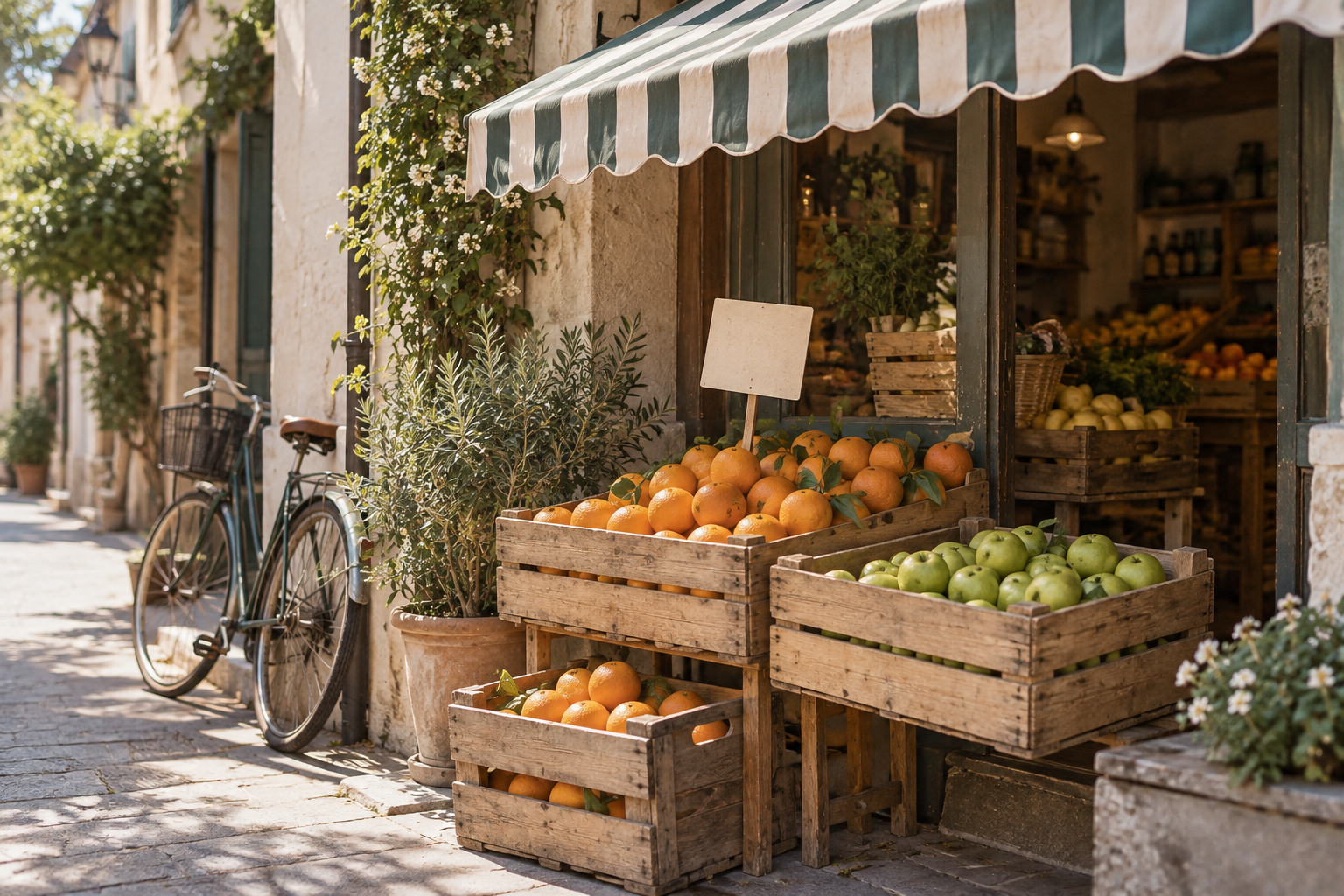 The first source scene: a lane-side fruit stall with a striped awning, orange and apple crates, and a bicycle.View original
The first prompt followed a common pattern. It separated what to keep, what to change, colors and what to avoid, but asked for simplification only through adjectives. This is the exact text I used.
Redo the attached photograph as a hand-drawn picture by a seven-year-old using wax crayons on warm cream paper.
Keep: the same layout, the awning, the two crates, the bicycle and the potted plant.
Change: every object becomes a few thick, uneven shapes. Outlines wobble and are slightly darker than the fill. Fill areas with diagonal scribbles, leaving paper showing between strokes.
Colors: bright crayon versions of the original colors, with visible pressure differences.
Avoid: photographic shading, smooth gradients, fine detail, readable text.
This is what came back.
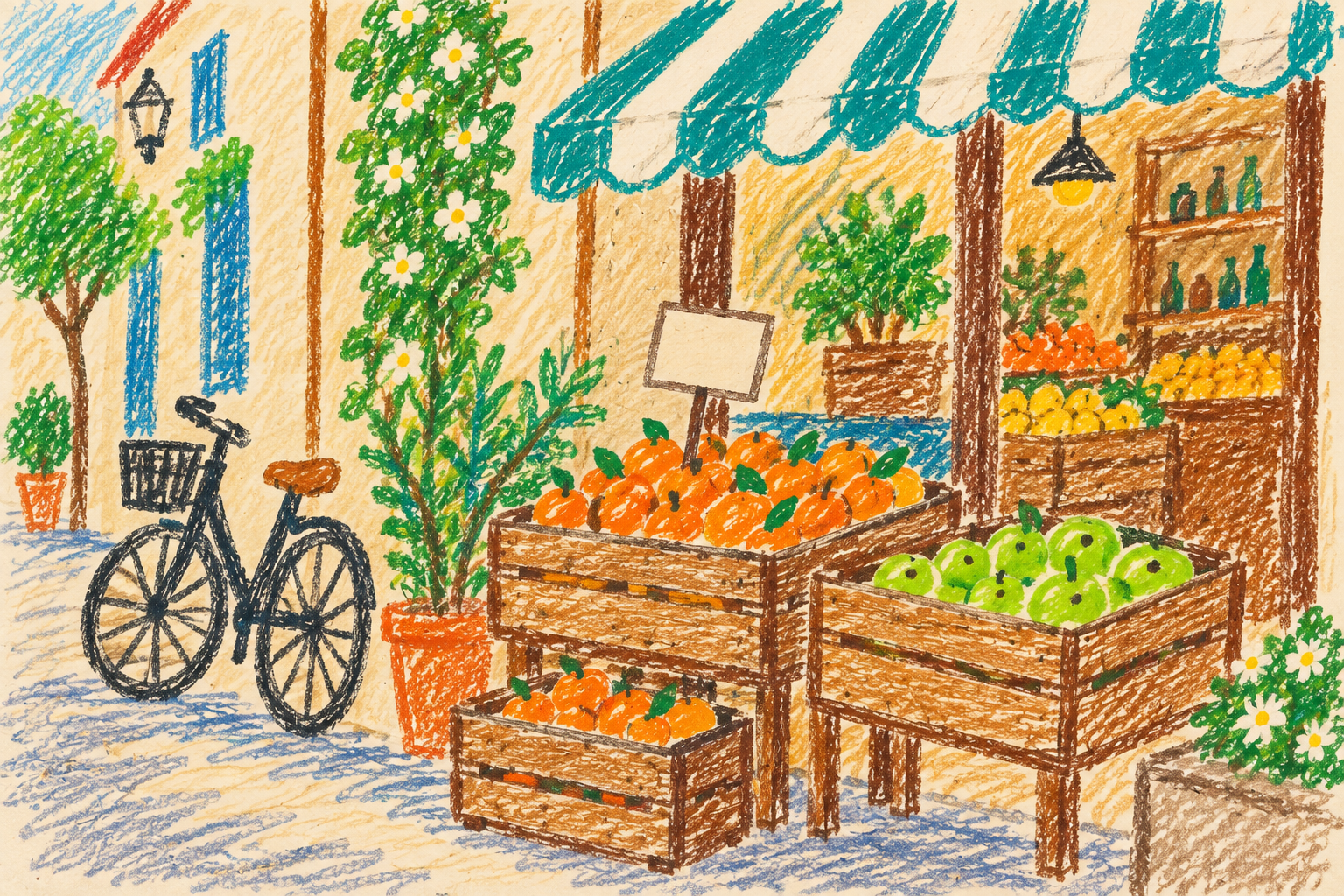 Result of the first prompt: crayon texture is convincing, but windows, vines, bottles and shelves are all drawn, so it reads as an adult's colored-pencil picture.View original
The crayon texture and paper tone worked. The amount of information did not match a child's drawing. Blurry windows in the photo became crisp blue windows, and the shelves and bottles inside the shop were carried over. I had listed five things to keep, yet nothing else disappeared. The model seems to have read the request as "reproduce everything, in a different hand" rather than "keep only these."
So adjectives such as "simple" or "a few thick shapes" do not set how much to leave out. A number does.
Second attempt: a budget and a shape per object
For the second prompt I removed most of the mood language and used three rules.
- Cap the number of objects. Here the cap was eight.
- Give each object a one-line shape. The awning becomes three stripes, crates become brown boxes, fruit becomes separate round dots.
- Name what to remove, using things that actually appeared in the first result: windows, bottles, wood texture.
Simplify harder. Redo the attached photograph as a drawing by a five-year-old using chunky wax crayons on cream paper. Use at most eight big objects. Draw each as one rough shape with a thick wobbly outline: awning as three stripes, crates as brown boxes, fruit as separate round dots, bicycle as two uneven circles with a few lines, plant as a green blob on an orange pot. Leave large areas of bare paper. Colors stay bright and saturated. No small details, no texture on wood, no windows, no bottles, no readable text.
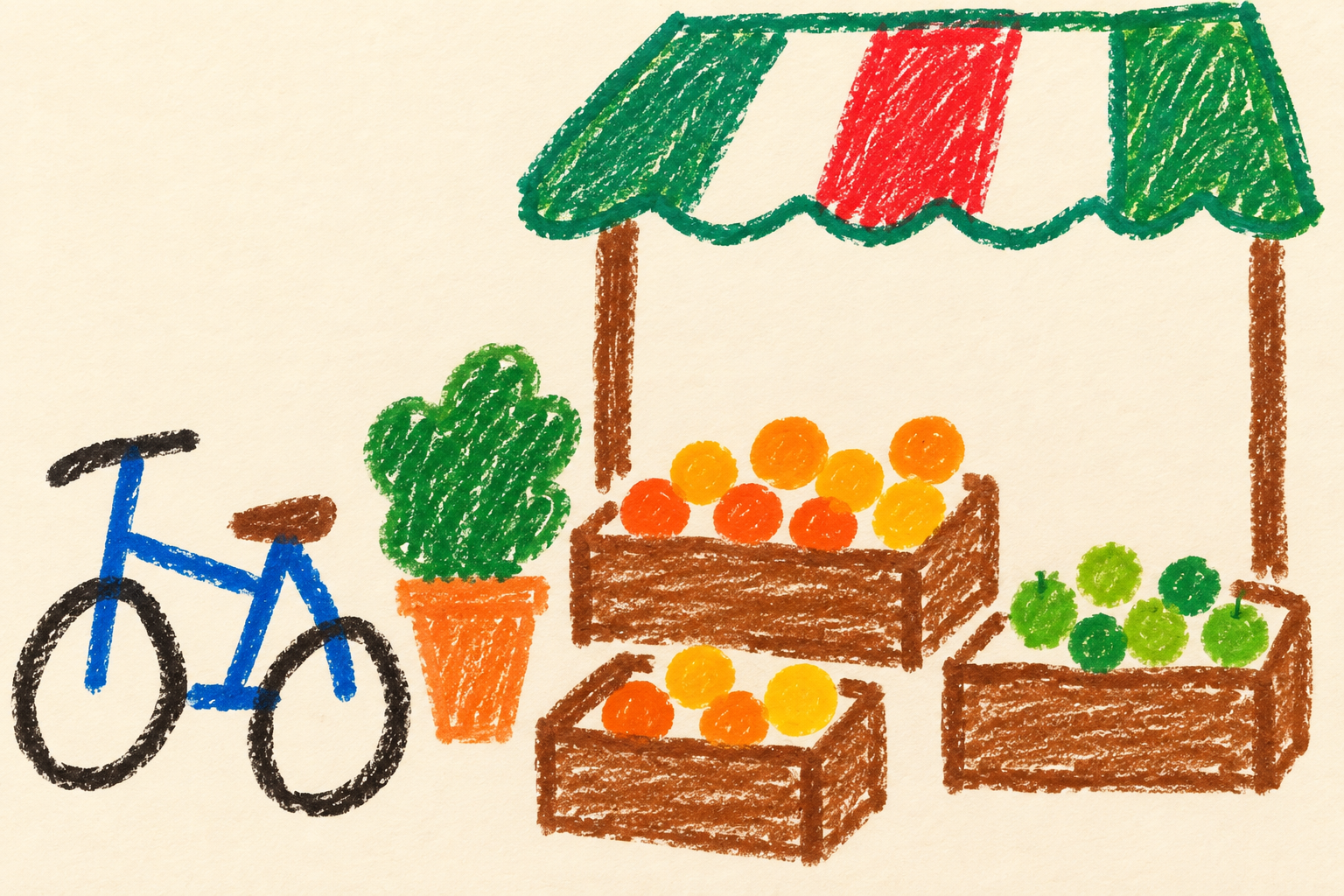 Result of the second prompt: only the awning, three crates, bicycle and plant are drawn with thick crayon lines, with bare paper elsewhere.View original
The background windows and shop interior are gone. What remains is the awning, crates, bicycle and plant, with thicker outlines and flatter fills. This one reads as a young child's drawing.
Not everything went as requested. I asked for the awning as three stripes and got green, red and white, but the original awning is green and white. The red was not in my prompt, and the bicycle changed from dark green to blue. The cause is that I dropped the sentence telling the model to keep the original colors. The first prompt had it, and its colors stayed closer. Adding a numeric limit while removing the color line is a side effect of this test.
Why would a number help?
I cannot answer that with certainty, because I did not see inside the model. What I can report is two observations. The first prompt gave one rule, "make everything simple," and the model kept every object while changing the drawing style. The second prompt set the list of objects itself, and things not on the list were not drawn.
Commissioning a human works much the same way. "Keep it simple" leaves the artist to decide where to stop. "Draw eight things" narrows that decision. In a prompt, a number is less a calculation than a baseline for omission.
Does it carry over to another photo?
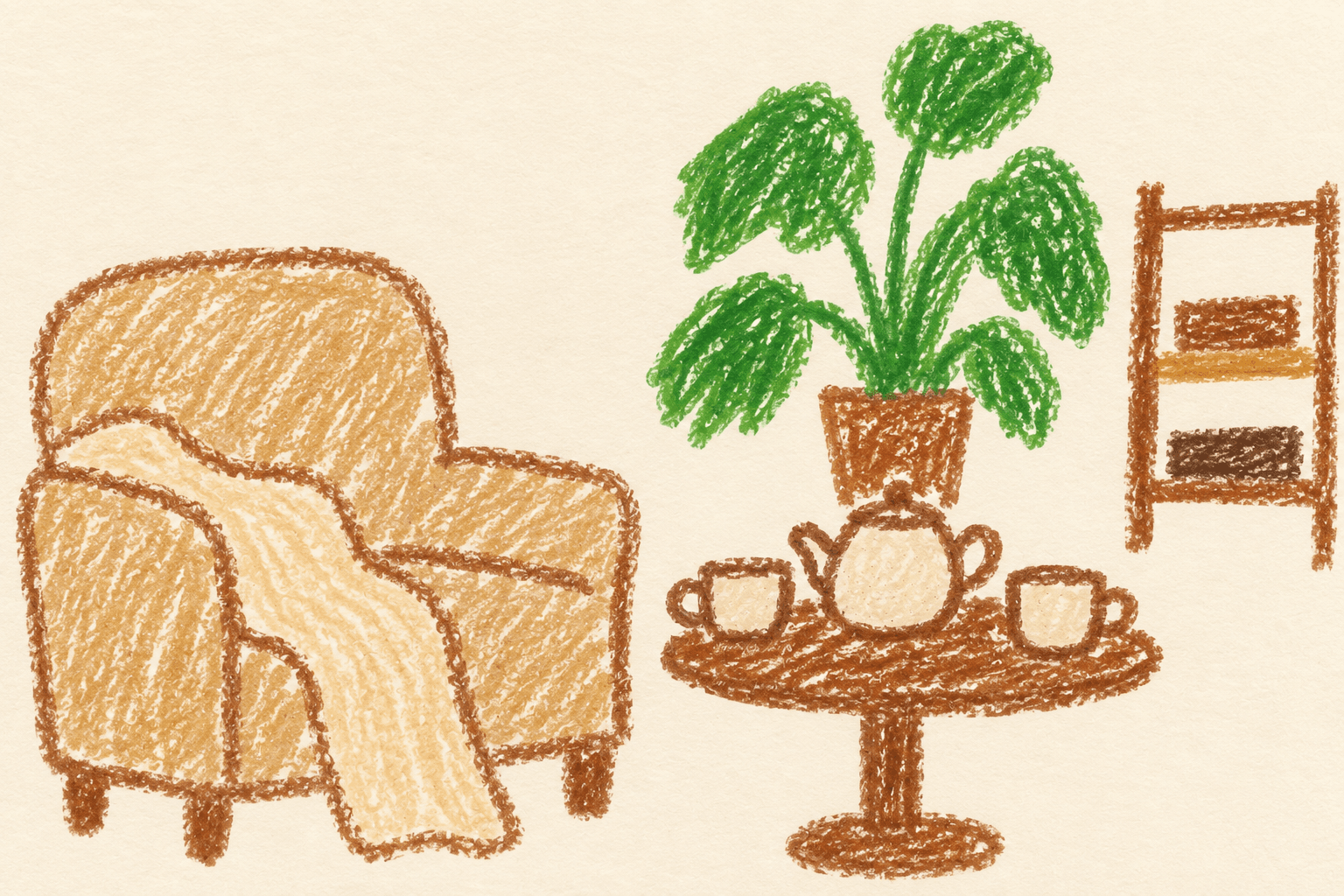
I applied the same structure to a window-side reading nook: an armchair, a blanket, a round table, a teapot with two cups, a plant and some books.
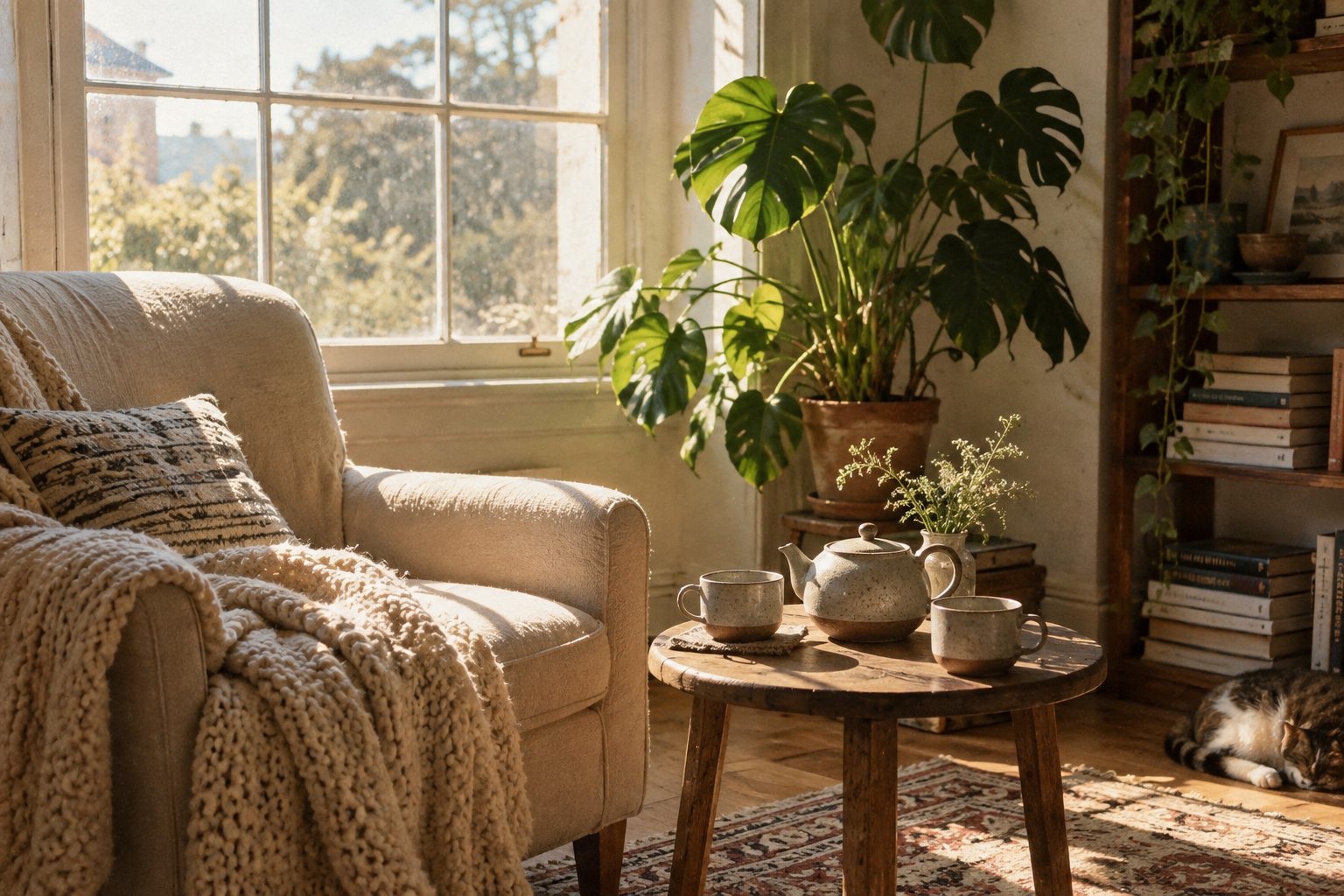 The second source scene: a reading nook with an armchair and blanket, a round table with a teapot, a tall plant and a bookshelf.View original
This time I rewrote the object shapes to suit the scene.
Redo the attached photograph as a drawing by a five-year-old using chunky wax crayons on cream paper. Use at most eight big objects: the armchair as one rough box with a round back, the blanket as a wavy stripe, the table as a circle on one leg, the teapot and two cups as simple shapes, the plant as a green blob in a pot, the books as three flat rectangles. Each object gets one thick wobbly outline and rough scribbled fill. Leave large areas of bare paper. Keep the original colors but brighter. No small details, no window panes, no patterns, no readable text.
The result is this post's cover image. The armchair, blanket, table, teapot with two cups, and plant survive as simple shapes, while the window, rug and cushion pattern are gone. Because I included "keep the original colors but brighter," the armchair and plant stayed close to the photo.
One thing drifted. I asked for the books as three flat rectangles, and the model drew a small shelf with rectangles inside it. The shape I asked for was respected, but the shelf and its position came from the model. The cat in the photo disappeared, as intended, since it was not on the object list.
A template you can copy
This template generalizes the two prompts that worked. It is a construction example, not something I ran as written. Replace the bracketed parts for your own photo.
Redo the attached photograph as a drawing by a [AGE]-year-old using [MEDIUM] on [PAPER]. Use at most [N] big objects: [OBJECT 1] as [SHAPE 1], [OBJECT 2] as [SHAPE 2], ... Each object gets one thick wobbly outline and rough scribbled fill. Leave large areas of bare paper. Keep the original colors but brighter. No small details, no [ELEMENTS THAT APPEARED IN THE FIRST RESULT], no readable text.
Five variables matter.
- AGE: lower numbers tended to give rougher lines, but I only compared five and seven, and that difference is mixed with the object cap, so I cannot isolate it.
- MEDIUM and PAPER: you could swap in oil pastel or marker. I did not test that here.
- N: set it near the number of main objects in your photo. If the photo has ten main objects and you say eight, two disappear.
- OBJECT and SHAPE: the most important variable. Name a simple geometric shape for each object. If you cannot think of one, drop the object from the list.
- Elements to remove: fill this in after one run, from what actually appeared. It is more accurate than guessing in advance.
Order of steps
- Count the main objects in the photo by eye. Aim for six to eight.
- Write one line of shape per object. If no shape comes to mind, leave the object out.
- Put them in the template and generate once.
- Look at what appeared that you did not want, and where colors changed.
- Add those items to the removal list. If colors drift, strengthen the color sentence. Change one thing per round.
This is the sequence I followed. The first attempt exposed the problem, the second set the object cap, and the third tried another scene. Every image shown is the first generation, not a selection from several.
Limits and cautions
- Two scenes, one run per prompt. Repeating a prompt can give a different result. The comparisons here are single observations.
- I only checked GPT image editing. Other tools may respond to numeric limits differently.
- Writing a number does not guarantee exactly that many objects. In my results the awning came close to the request, but the crate and fruit counts differ from the photo.
- Assigning shapes changes the objects to match them. This is a poor fit if you need a specific product or place reproduced accurately.
- I did not test photos with faces, brand marks or readable signs. If you edit someone else's photo, check your right to use it first.
- Every image in this post is generated. None is a real photograph or field record.
In short
Adjectives such as "simple" and "cute" did not set how much to leave out. Writing an object cap and a shape for each object moved the same photo much closer to a child's drawing. In exchange, dropping the color sentence let the colors drift. When you restyle an image, telling the model what to keep and what to drop as a list conveyed more than describing the feel.
For the original idea, see Steven Wommack's reel. His prompt is not reproduced here. The prompts and test results in this post were all made new at DMS.Labs.