Upload a meme and a pet photo, ask for the dog to take the character's place, and the result tends to miss in one of two ways. The pose is right but the animal looks like a different dog, or the face is close while the original necktie and dress shoes are still there. Either way, the model was never told which image supplies what.
This guide covers a sentence structure that reduces those misses. We generated a short request and a role-based request from the same pair of images, then reused the structure on a second scene. The exact prompts we entered are included below.
Where the idea came from and what this article covers
The meme conversion post by ai_newpd tells readers to attach the meme first and the pet photo second. Its public caption says the funny motion and expression should be kept while face, coat color, markings and body shape follow the pet photo. It also describes removing clothes and shoes while keeping props such as glasses or headphones, and it warns that results vary by model and source image.
We did not receive or reproduce the prompt that post sends to commenters. The sentences below are new, written only from the working principle stated in the public caption. We used none of the author's wording, layout or images, so this article cannot tell you what the original prompt looks like.
The test material
We used no real pet photo and no one else's meme. To avoid rights questions, every input is an image generated for this article. The identity reference is a tricolor beagle-type dog. The pose reference is an illustrated office worker slumped over a desk, arms hanging. A second test image shows a worker leaping with a tote bag.
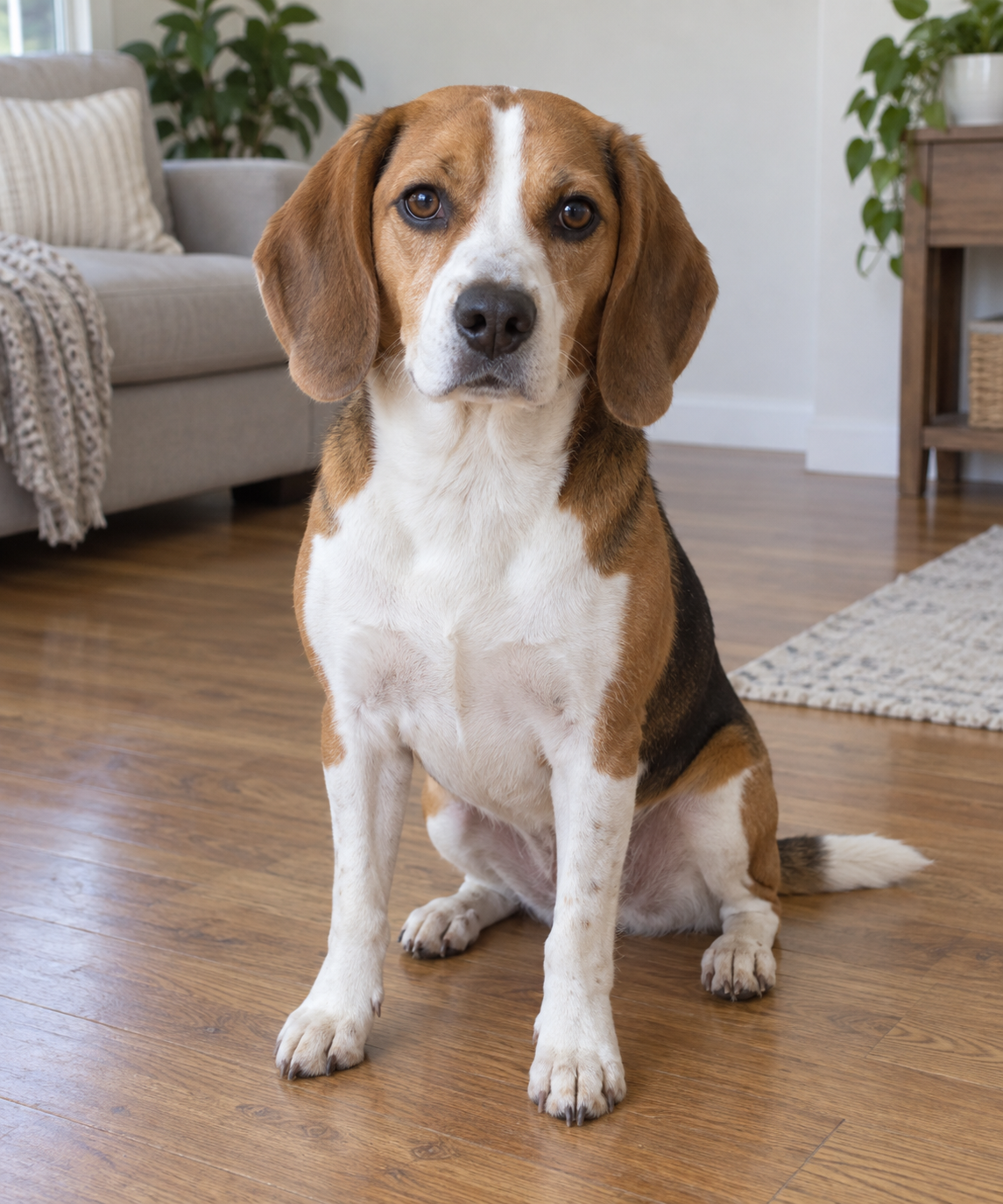 Our generated tricolor dog reference photoView original
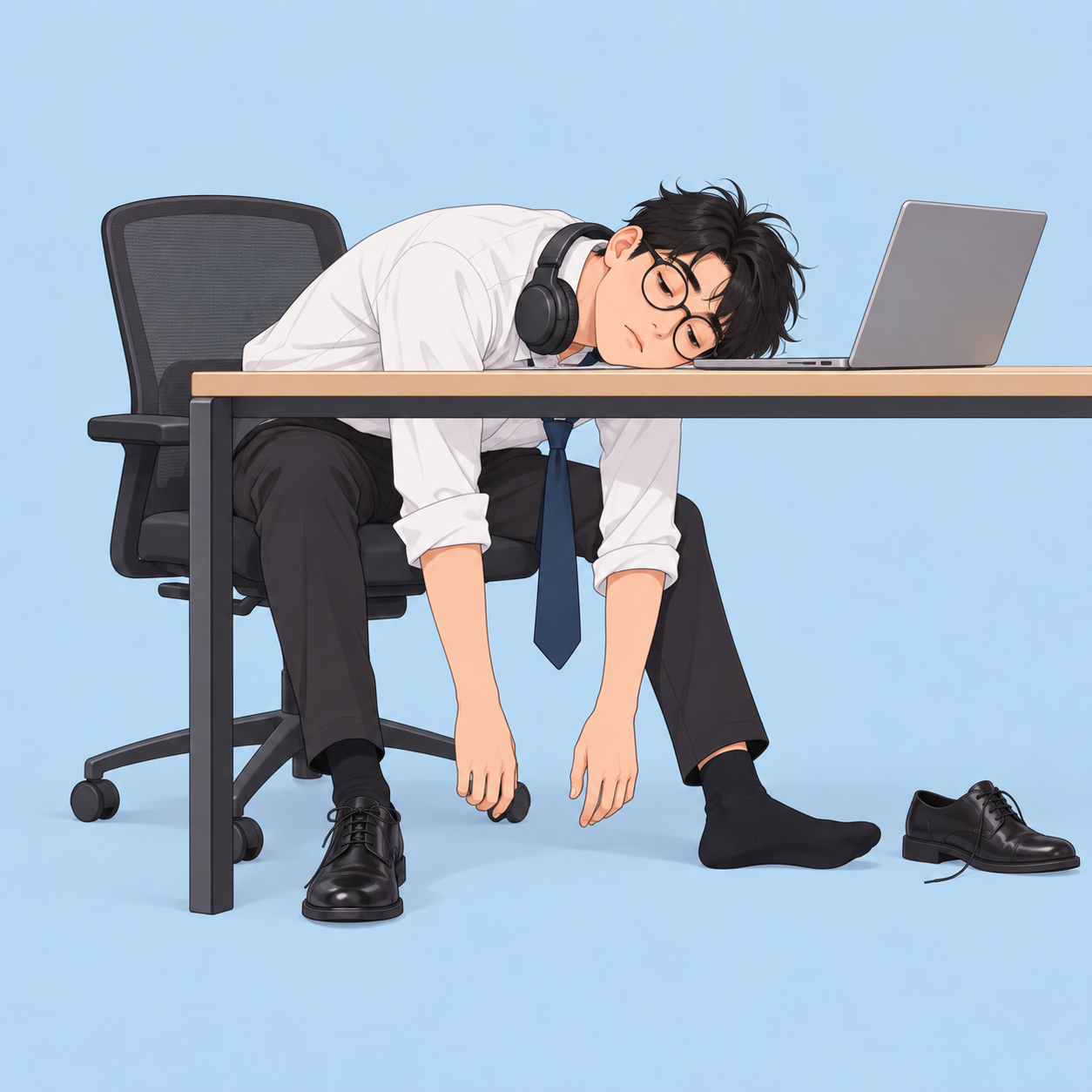 Our generated illustration of a worker slumped over a deskView original
Both are generated images, not documentary photographs. So this test does not check likeness to a real animal. It only shows how output changes when the sentence structure changes on the same pair.
What the short request did
We started with the most common request. Image 1 is the pose illustration and Image 2 is the dog.
Make the first image with the dog from the second image.
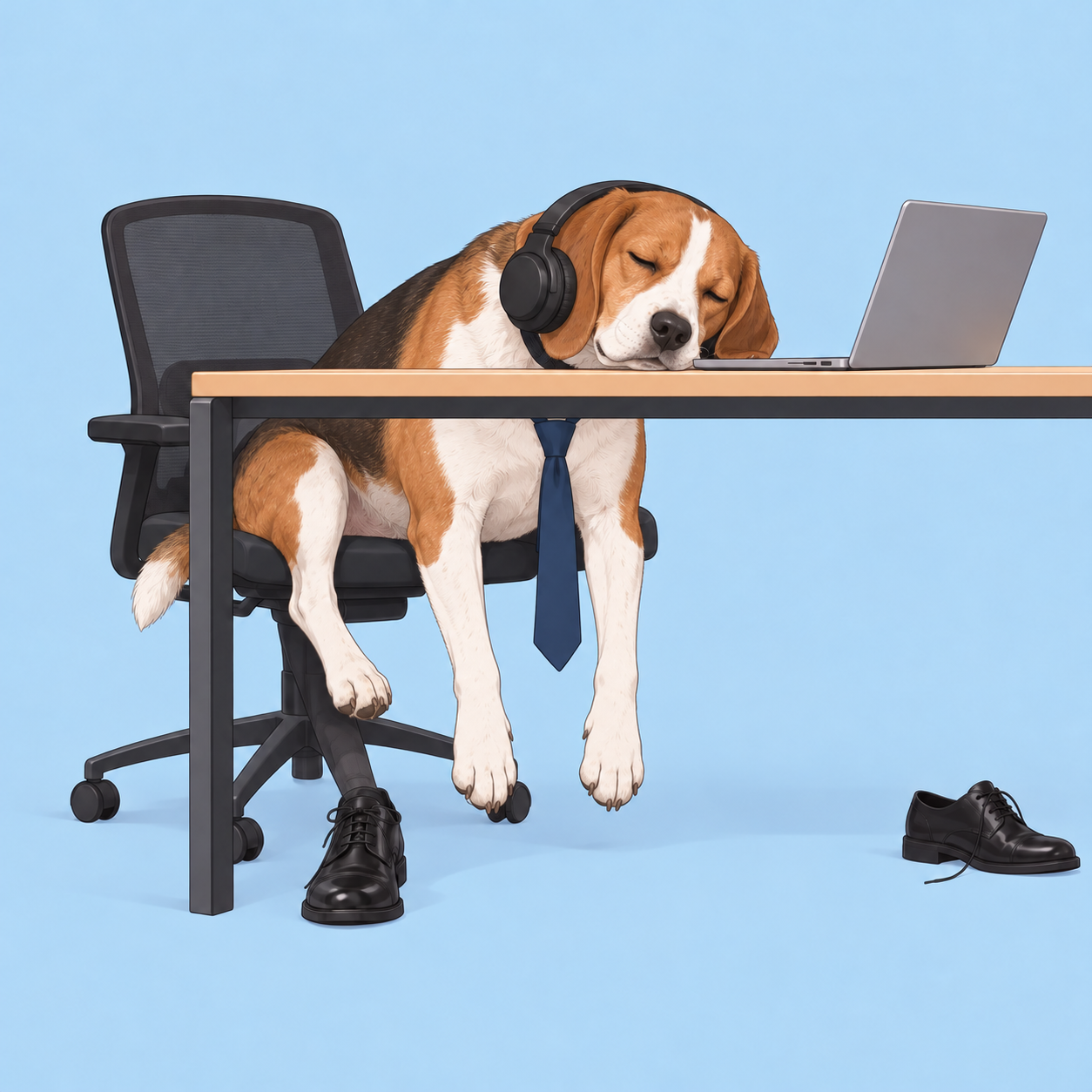 Short request result: the dog keeps a necktie and a human leg with a dress shoe remains under the chairView original
It half worked. The slumped posture, desk, laptop and headphones carried over, and the face followed the dog's white blaze and tricolor coat. But the blue necktie stayed on the dog's chest, and a human leg with a dress shoe remains under the chair. We never said what had to disappear, so the model treated those items as part of the scene.
The role-based request
The second request splits the sentence into five parts: the role of each image, the scene to keep, the appearance to take, what to remove, and body constraints.
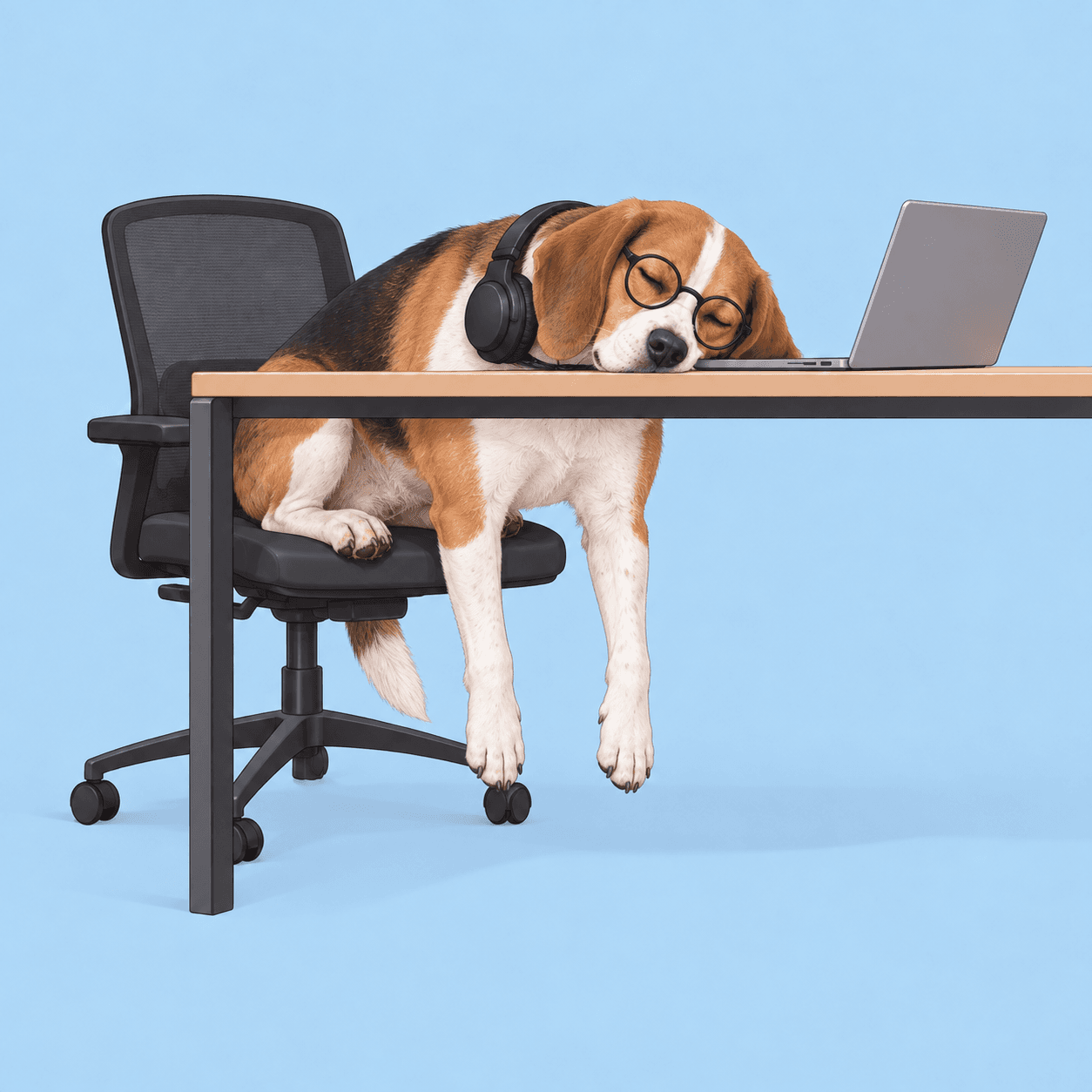
Image 1 is the pose reference (an illustration of a worker slumped over a desk). Image 2 is the identity reference (a real-looking dog). Recreate Image 1 with the dog from Image 2 as the only character, in the same pose, camera angle, desk, laptop, chair and pastel blue background. Keep the droopy, exhausted body language and closed eyes. Take the dog's face shape, ear shape, white blaze, brown eye patch and tricolor coat from Image 2. Remove the person, the shirt, the tie and the shoes. Keep the headphones around the neck and the round glasses as props. Keep the dog's natural body proportions and four legs; do not give it human hands. No text.
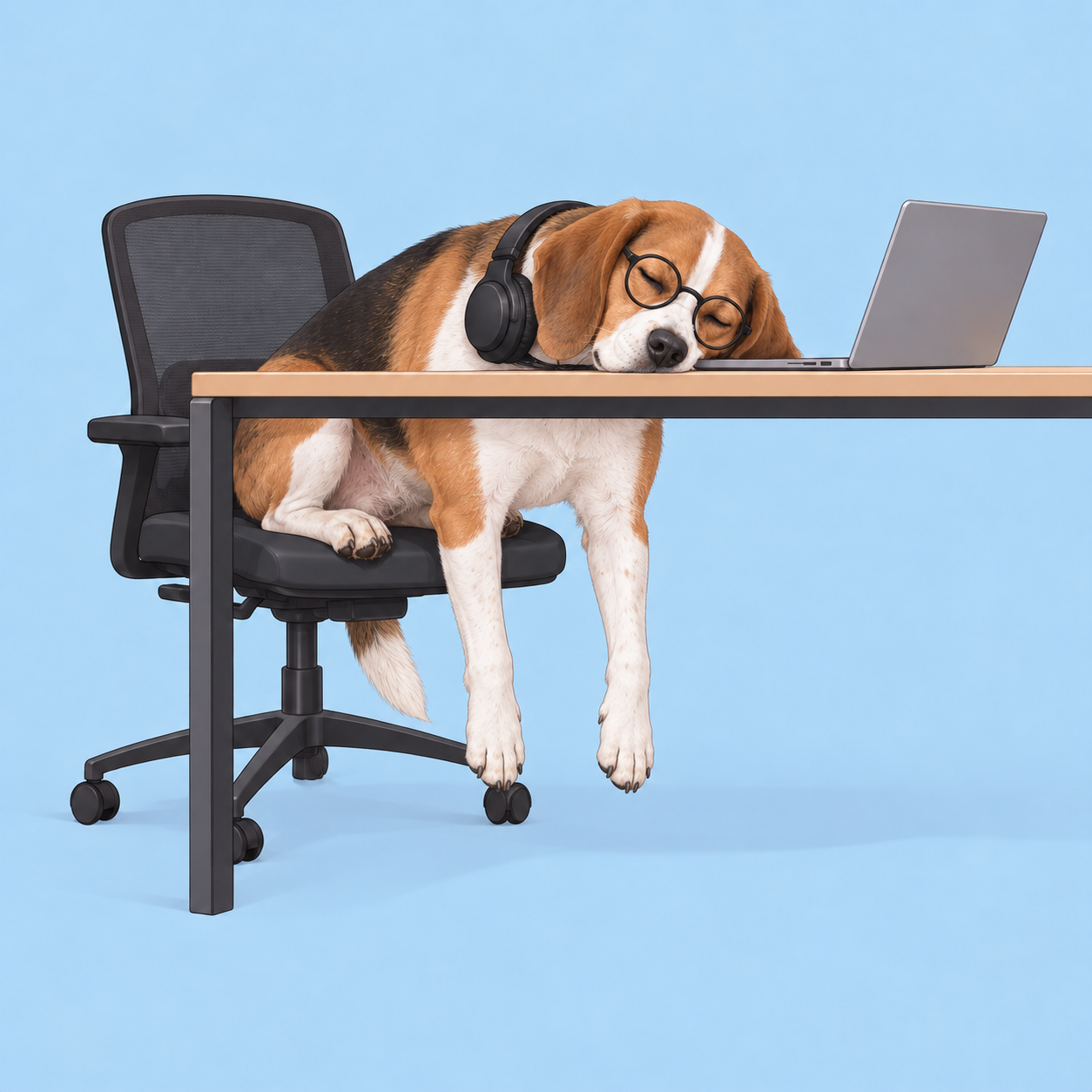 Role-based result: the dog slumped over the desk without a necktie or shoesView original
This time the necktie, shoes and human leg were gone. The headphones and round glasses stayed as props, and the dangling front paws hang down in front of the chair. The eyes are closed, and the white blaze, tricolor coat and drooping ears read the same way as in the reference. However, the brown patch over the eye in the reference is hard to see here because the glasses cover that area. Naming a feature does not guarantee it will be visible.
The same structure on a different scene
To see whether the structure holds when the pose differs a lot, we generated a new illustration of a worker leaping. We changed what to remove to the shirt, lanyard and shoes, and what to keep to the tote bag. Because the pose is upright, we added one constraint so human legs would not appear.
Image 1 is the pose reference (an illustration of a worker jumping in celebration). Image 2 is the identity reference (a real-looking dog). Recreate Image 1 with the dog from Image 2 as the only character, in the same mid-air pose, camera angle and warm yellow background. Keep the joyful, energetic body language and the tote bag. Take the dog's face shape, ear shape, white blaze and tricolor coat from Image 2. Remove the person, the clothes, the lanyard and the shoes. Keep the dog's natural body proportions and four legs; do not give it human hands or human legs. No text.
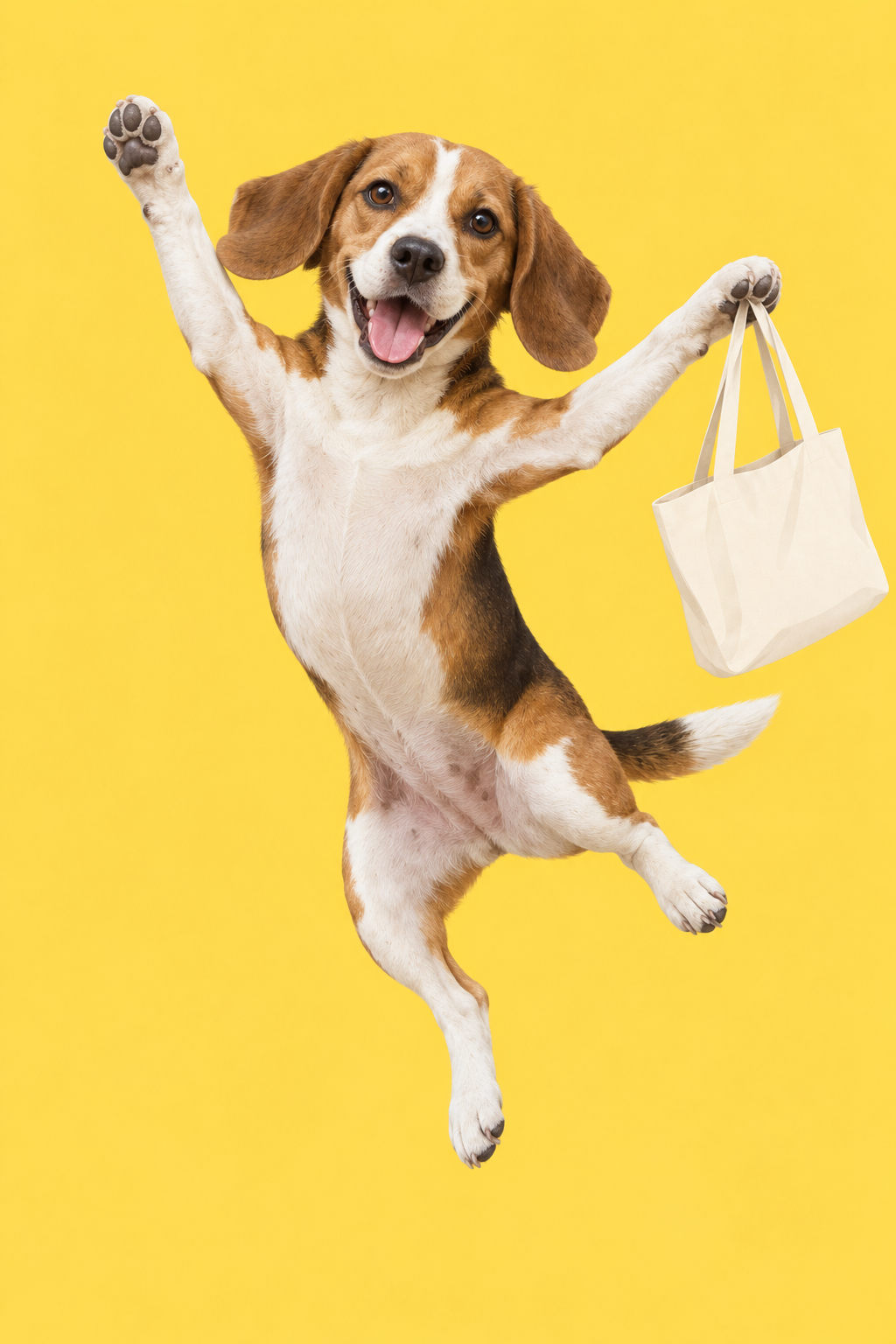 Result of turning the leaping worker illustration into the dog with the same structureView original
The yellow background, the raised arm and the paw gripping the bag all carried over, and so did the white blaze and tricolor coat. No human clothes or shoes are visible. It is still a single generation, so we cannot promise the same sentence gives the same result every time. Each scene was tried once per prompt.
Fields to fill in yourself
The template below follows the structure of the English prompts above. It has not been run; fill the brackets and expect to adjust.
Image 1 is the pose reference (the meme), Image 2 is the appearance reference ([your pet]).
Keep the composition, camera angle, background, action and expression of Image 1, and replace the character with one animal from Image 2 only.
Take from Image 2: [face shape, ear shape, coat color, markings, body shape].
Remove: [people, clothes, shoes, a necktie, or anything unsuited to an animal].
Keep as props: [glasses, headphones, a bag].
Keep natural animal proportions and [four legs]; do not create human hands or legs. No text.
Each field does a different job. The image number and role keep the two inputs from blending. The scene to keep stops the model from re-imagining background and framing. The appearance list gives you something visible to check instead of a vague likeness. In our test, the removal list made the biggest difference.
Adjusting one thing at a time
Change one thing per attempt. If the likeness is weak, name the two or three most distinctive features more concretely. If a feature is hidden by a prop, check whether the prop placement is the cause. If the pose drifts, say which joint or direction must stay fixed.
Humans and animals have different bodies. If you do not say how an arm-raising pose becomes a foreleg, the model may keep a human hand. We fixed that here by writing the hand and leg constraints into the sentence. If the original pose is meant to be a two-legged walk, say that as well.
A good reference photo shows the face, ears, coat markings and the proportions of body and legs. A photo that shows only part of the face forces the model to guess the rest. With several photos, state each one's role. OpenAI's image prompting guide likewise advises giving each input image a stated role and separating what changes from what stays. The template here applies that advice to meme conversion.
Why list what to remove and what to keep
In a meme, the clothes often carry part of the joke. A dress shirt and tie signal the tiredness of the commute, and a single shoe slipping off shows how worn out someone is. How the model handles those items depends on the sentence. When we said nothing, it sometimes treated them as part of the scene, which is how the tie and shoe survived the short request.
So we write props in three groups. Remove items that do not fit an animal's body, such as clothes and shoes. Keep props that make the joke, such as headphones, glasses and a bag. Reshape items that must change for an animal's body, such as an object a human hand held now resting on a paw. We did not specify reshaped props in our test, and the bag resting on the paw was the model's interpretation. If you want a particular shape, state it.
Size and position help for props you keep. The round glasses overlap the eye, so they covered the brown patch above it, and the headphones hid part of the ear shape. When a prop conflicts with a facial feature, decide which wins. In this test the props won, which is why the marking is less visible. If likeness matters more, reduce props such as glasses.
Keeping a record
When you try the same pair several times, write one line about which field you changed. For example: the first try left the removal field empty and the tie stayed; the second named the tie and it disappeared. Over time you see which fields fail most often and can build them into your default template. Changing several fields at once makes it impossible to tell what helped.
Limits and a review order
A generated result can look similar without being the same animal. If the exact markings matter, put the output next to the reference photo and compare. If stripe placement, ear shape or coat color differ, make that field more specific.
Rights matter too. We tested only with images we generated. If you convert someone else's image or character and publish or sell the result, check the terms of use first. If a photo shows a person's face, you also need their consent.
When reviewing a result, a fixed order helps. First count the characters. Next check whether the clothes and shoes you told it to remove are still there. Then check whether action and background match the source, and finally whether the face matches the reference. Fix only the field that failed and regenerate, so you can see what worked.
None of this makes short requests useless. For a meme with no clothes or props, one short sentence may be enough. What this test shows is narrower: when the source contains elements that must go, leaving them out of the sentence can leave them in the image.
Sources
Starting idea: ai_newpd, public meme conversion post. Cross-check on prompt structure: OpenAI, image prompting guide. Every image and prompt used in the test was generated and written by DMS.Labs. The three English prompts above are the exact inputs; the template is an unexecuted example.